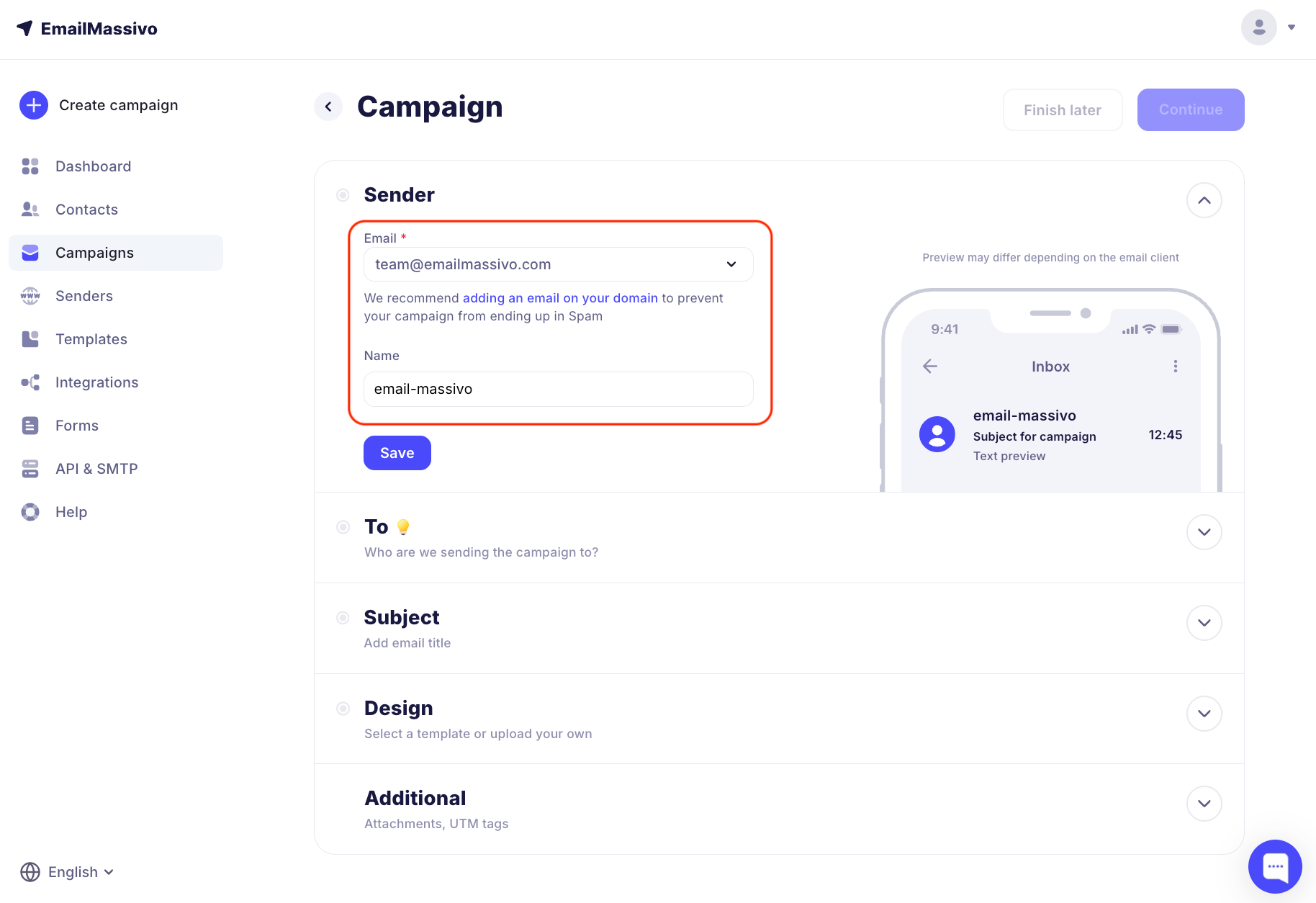
¶ How to Add a Campaign Sender
To add a new sender, you first need to add and verify your domain in EmailMassivo (read more about this in the guide), and then create an email on this domain.
Important!
Domain verification and having a sender on your own domain are mandatory conditions for sending campaigns and preventing emails from going to spam.
Go to the "Senders" tab and click "Add Sender".
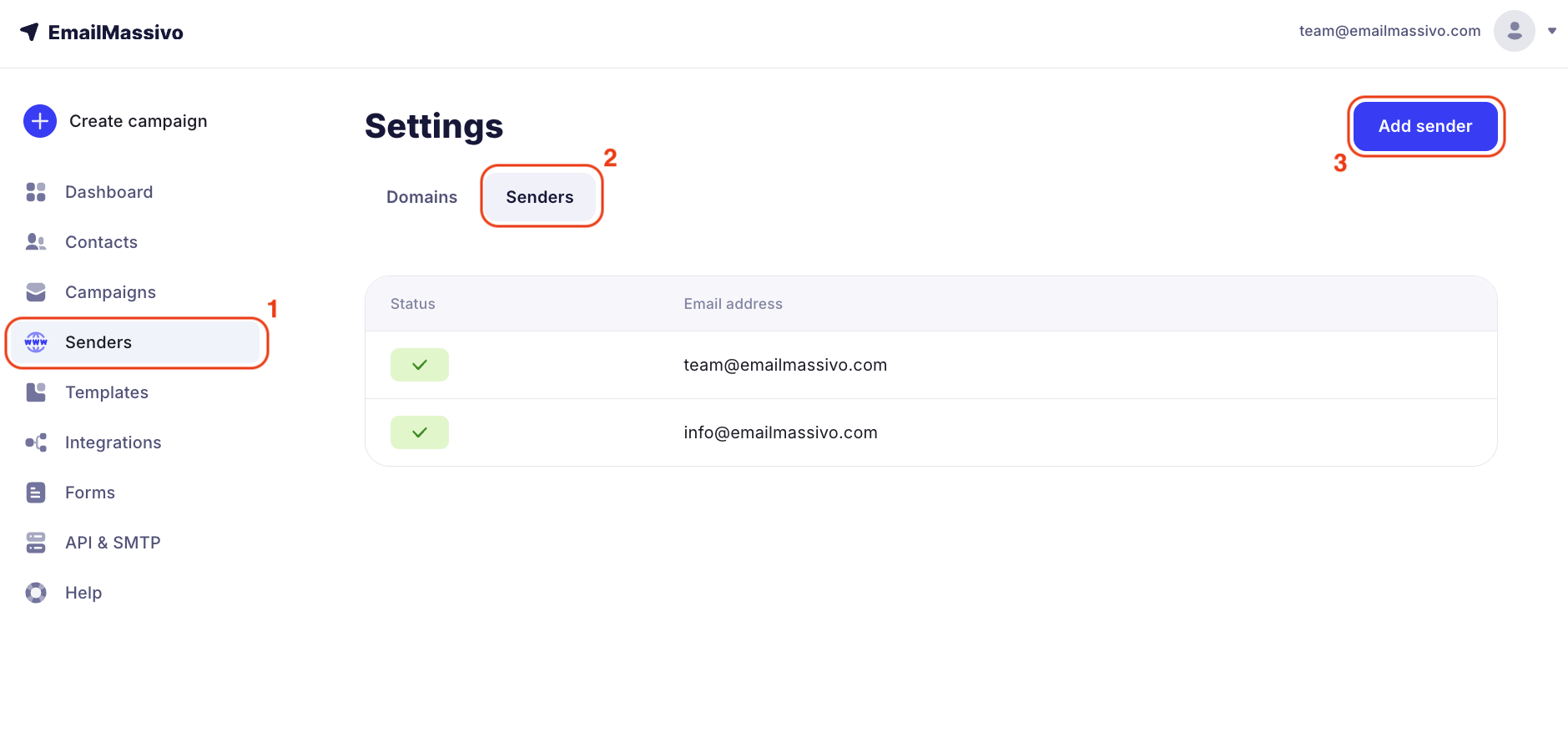
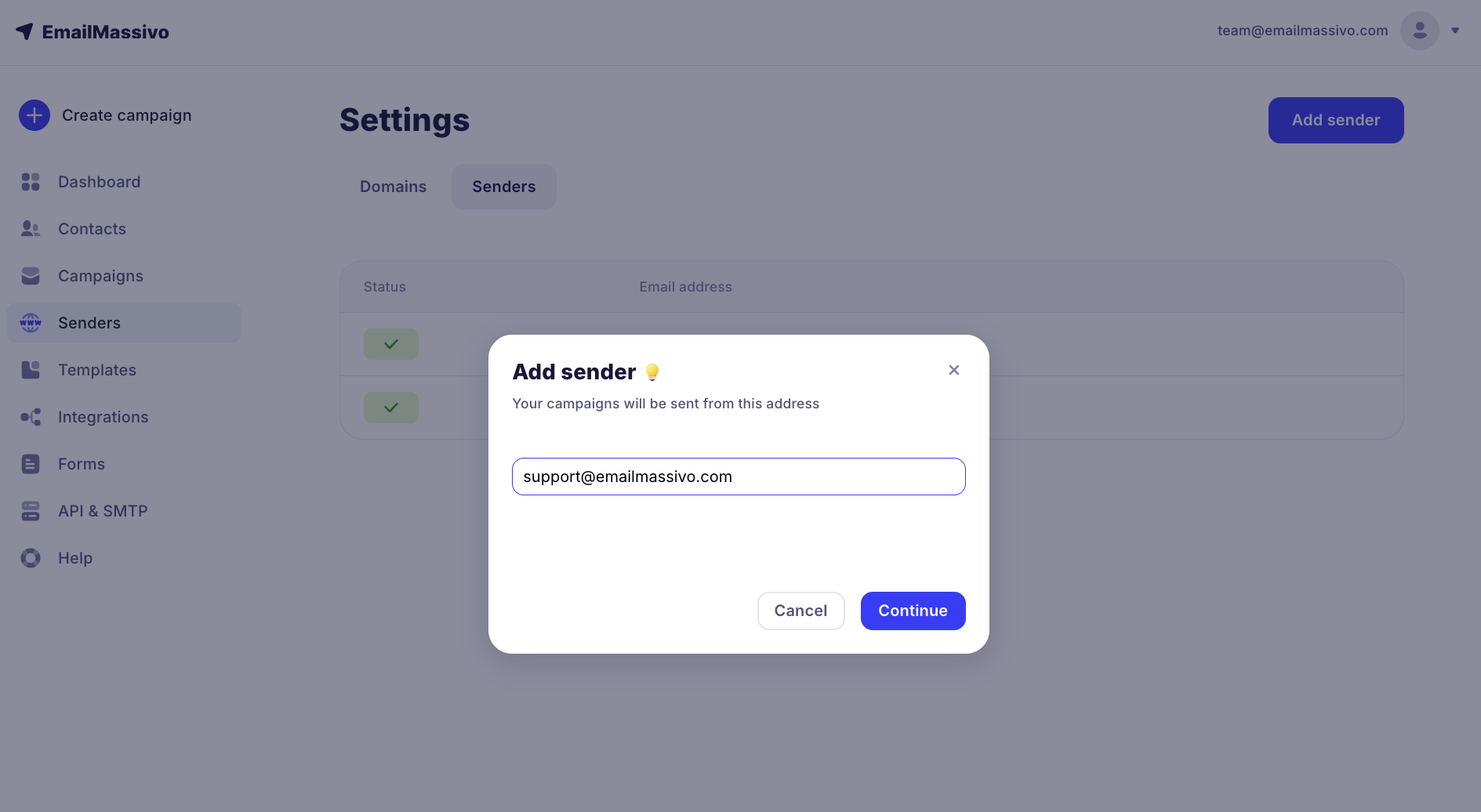
Enter the sender's email address and click "Continue".
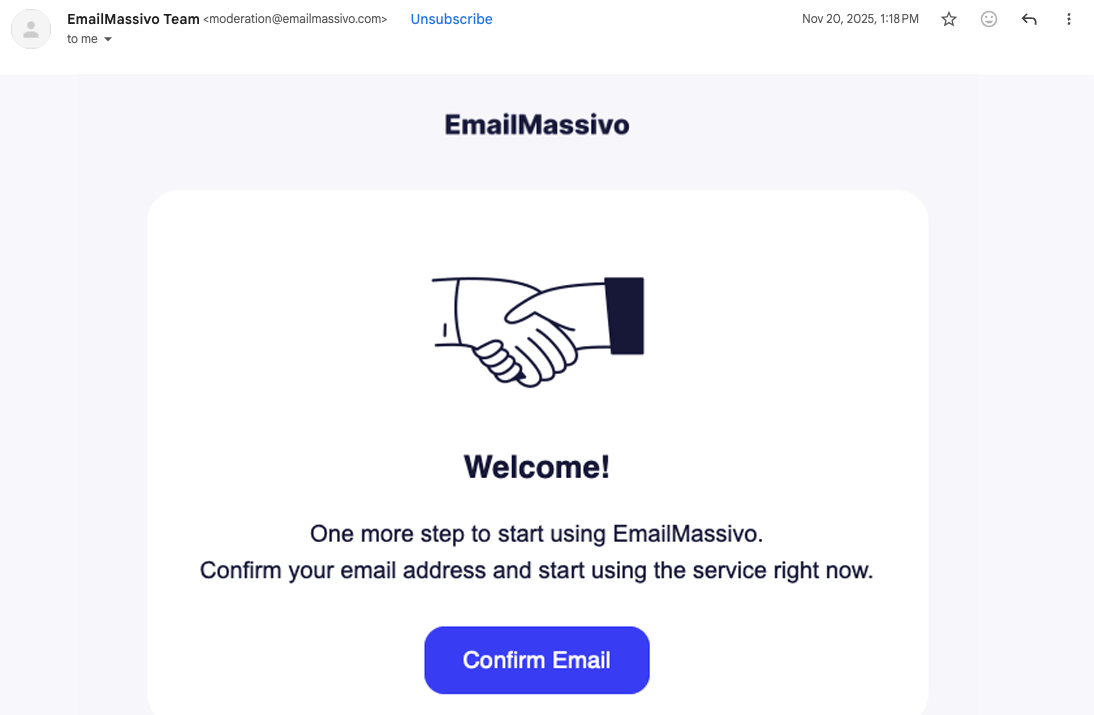
An email with a link to verify the address will be sent to the specified email address.
After verification, the new email address will appear in the list of available addresses.
Now, when creating a campaign, you will be able to select this email as the sender.