¶ How to Create an API Key
Go to the "API" section and click the "Generate API Key" button.
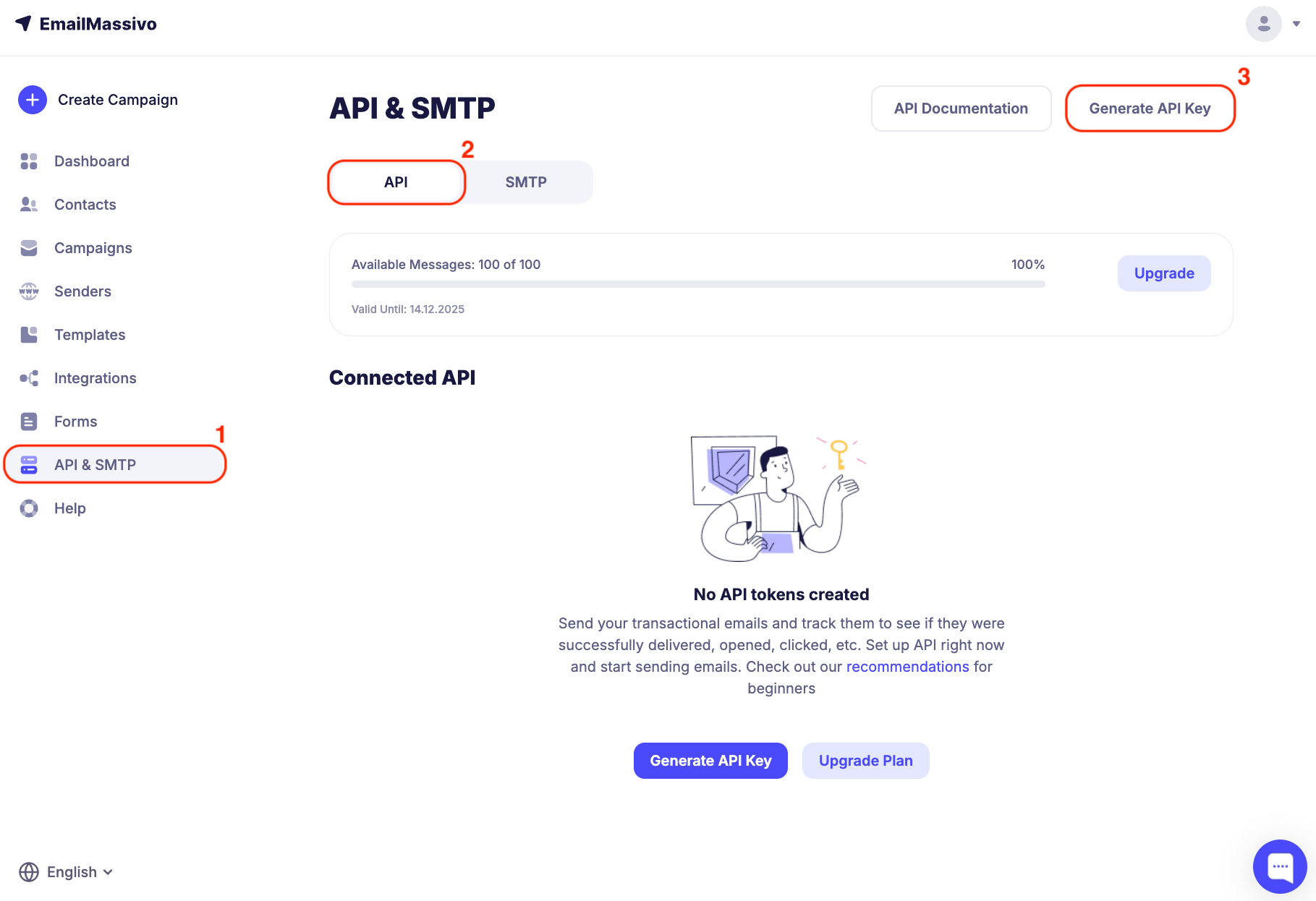
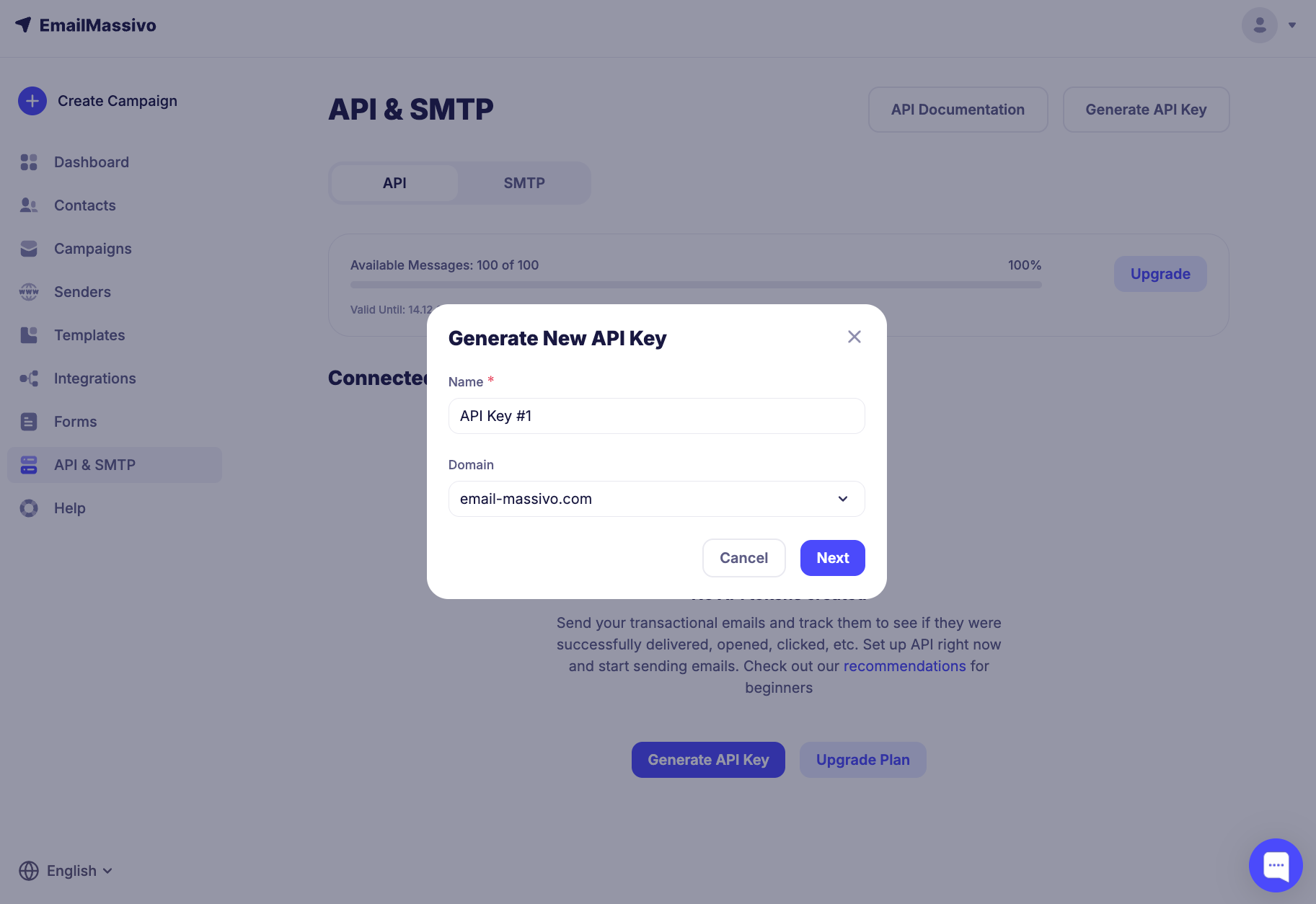
Enter a name and select a domain. If your domain is not verified, you can use the domain verification guide.
After filling in the fields, click the "Next" button.
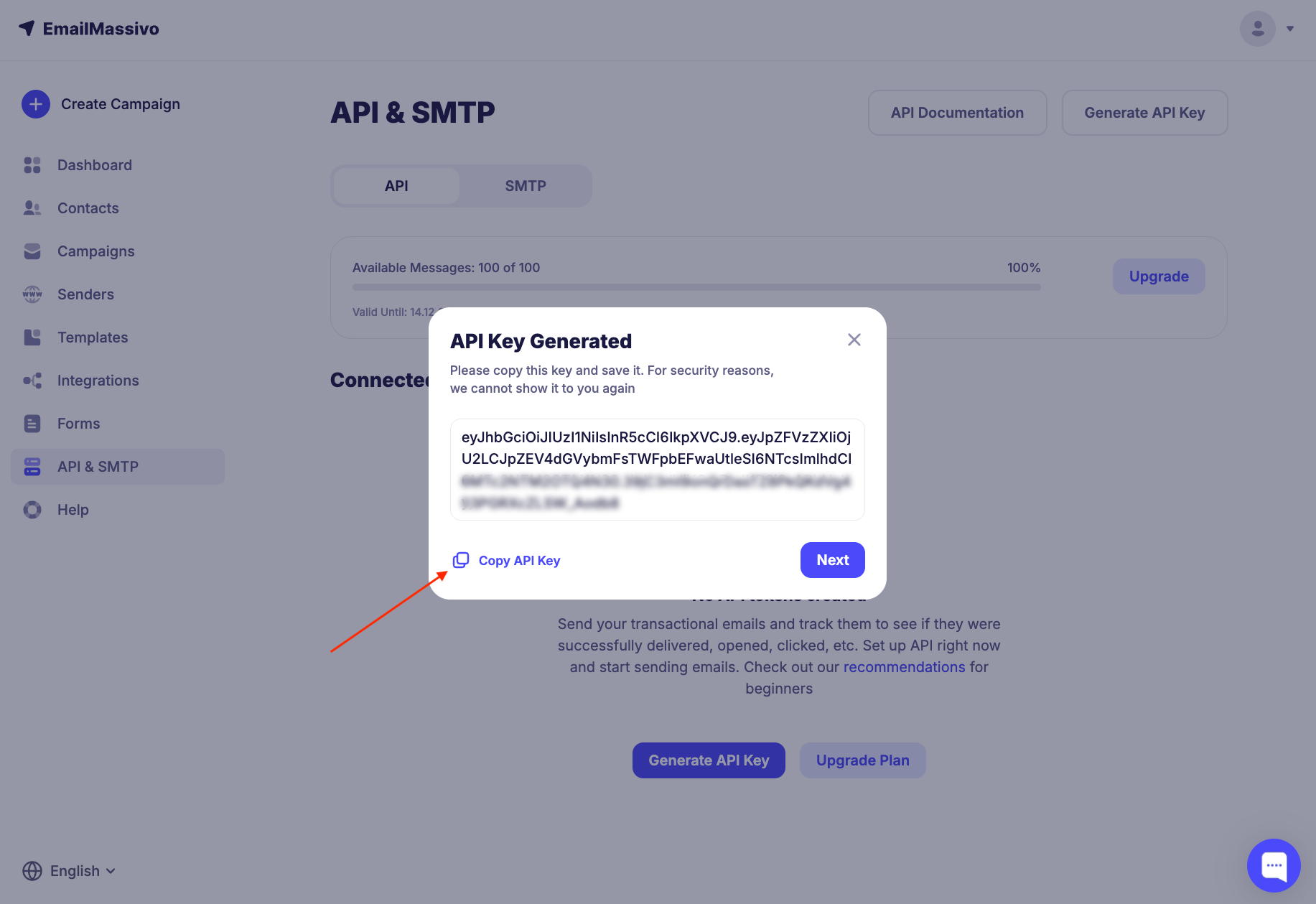
Copy the API key.
To activate the API key, you need to contact support or write to the support chat on the website dashboard. You will be asked to specify for which project and for what purposes the API key will be used, as well as the approximate number of emails for sending. The activation process will take 5-10 minutes.
Important!
Test emails must be sent only to existing email addresses, otherwise the key will be banned.
To start sending emails via API, use the Email API documentation.