¶ How to Upload Contacts for Campaigns
¶ Uploading Contacts from File
-
Prepare a file in
TXT,CSV,XLS, orXLSXformat. In text files, list each client on a new line, separate variables with commas, tabs, or semicolons. In spreadsheets, place data in columns. -
If uploading phone numbers, write them in international format
+XXXYYYYYYYYY, whereXXXis the country code. -
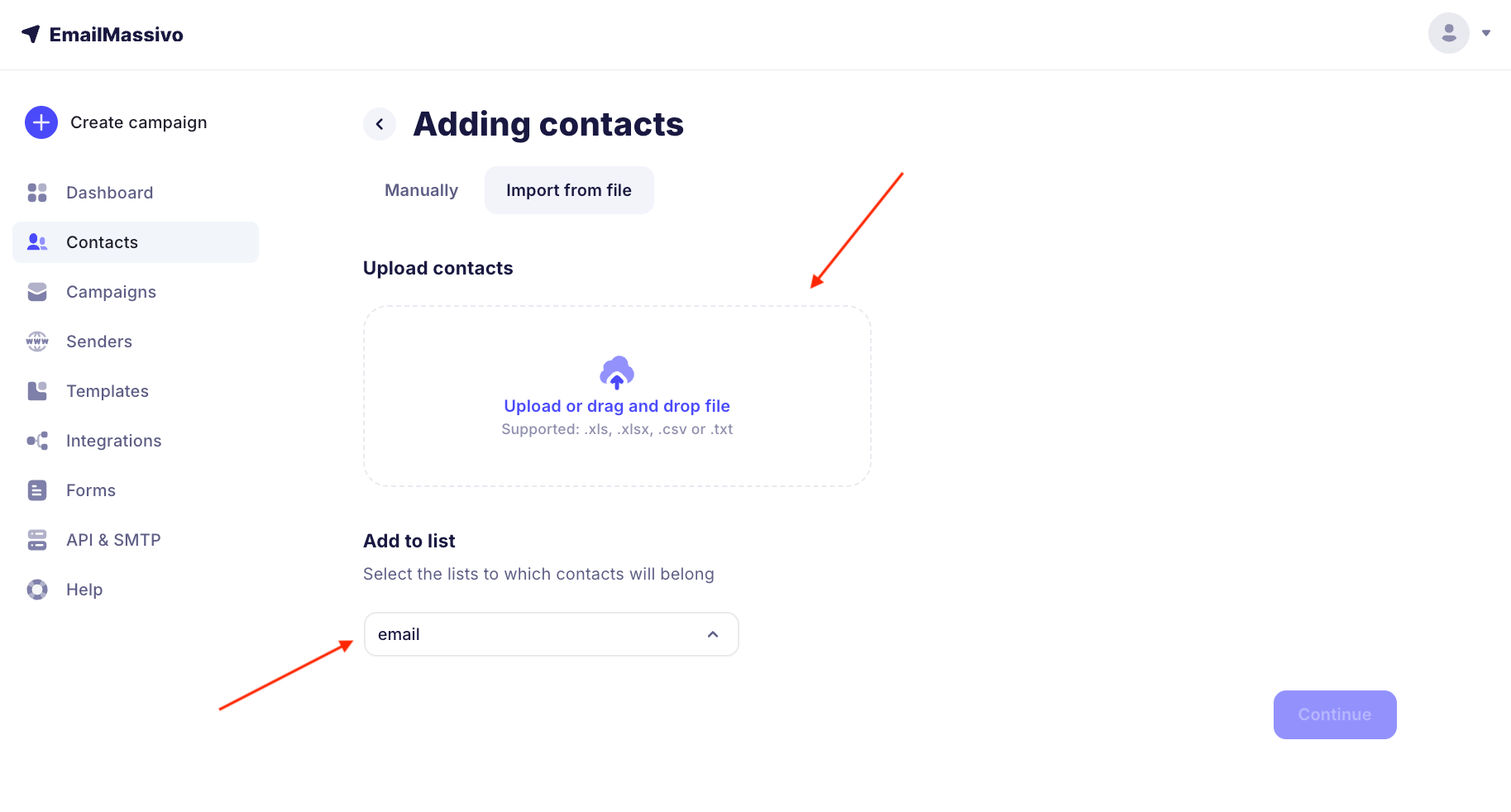
Click "Import Contacts" and select the file. You can click on the "Upload or drag file" area or drag the document with your mouse.
-
Specify an existing list or create a new one via the "Create List" option.
-
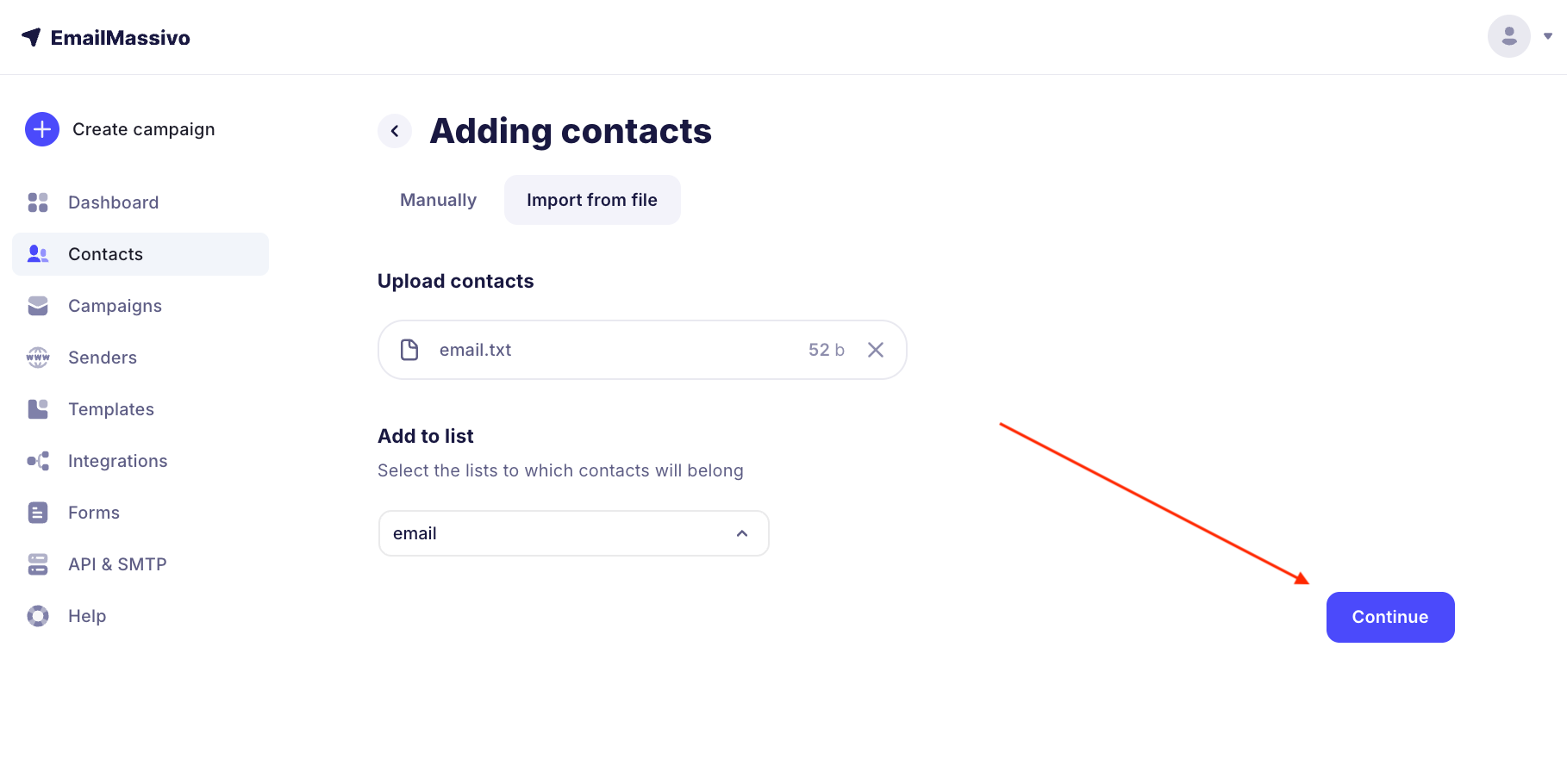
After selecting the file and list, click "Continue".
¶ Uploading Contacts Manually
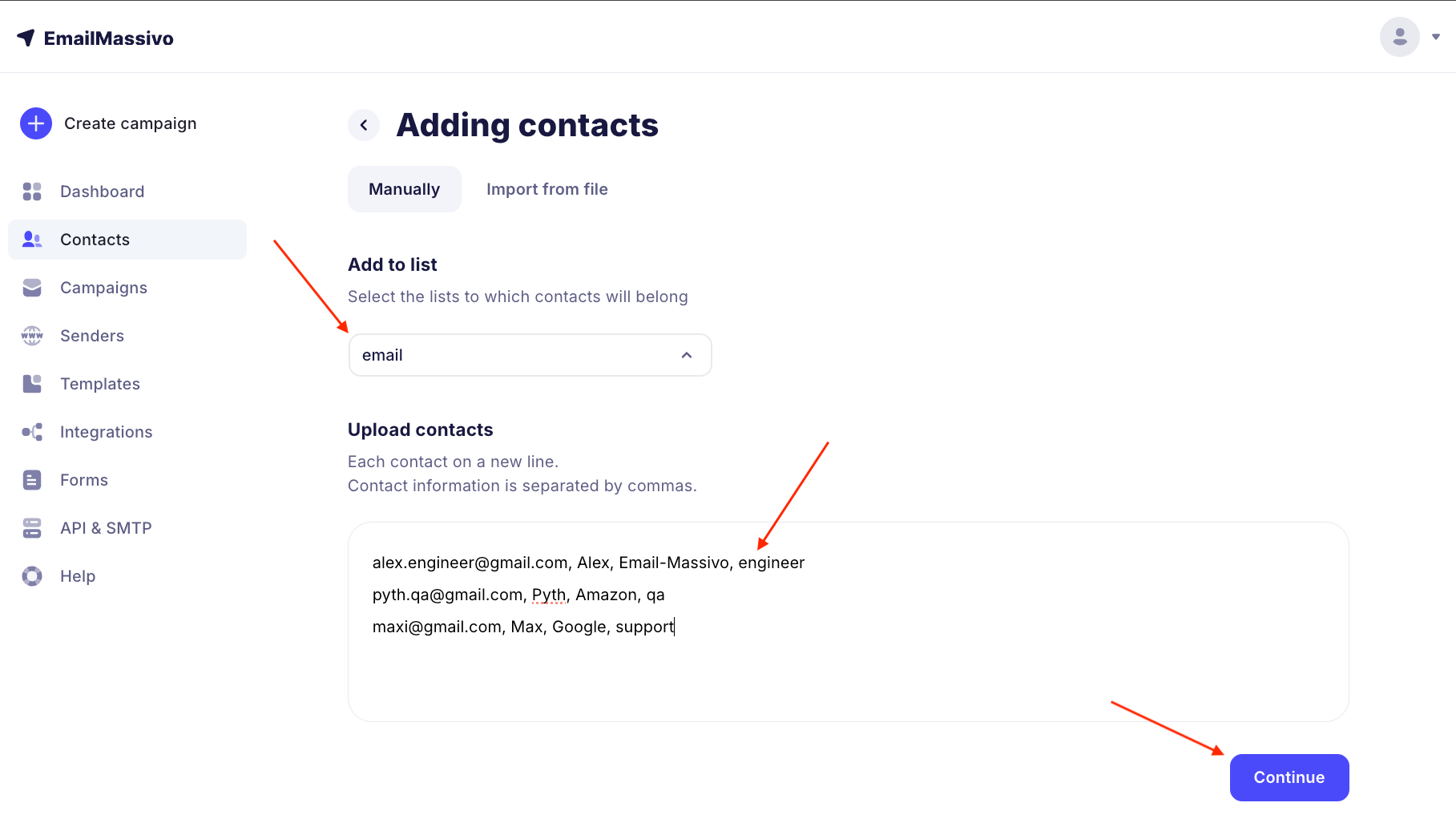
- At the import stage, select the "Manually" method.
- In the "Upload Contacts" field add emails — one per line. If needed add additional variables after the email, separated by commas.
- Select the list where the contacts will be placed.
¶ Adding to Lists
Lists help segment your audience and analyze statistics. During import, be sure to specify a destination list or create a new one if you're working with a new group of subscribers.
¶ Data Mapping
Variables are additional information about contacts (name, position, company, phone, etc.) used for personalization.
- At the mapping stage, click the arrow in the top cell of each column.
- Select an existing variable or create a new one.
- Click "Import Contacts".
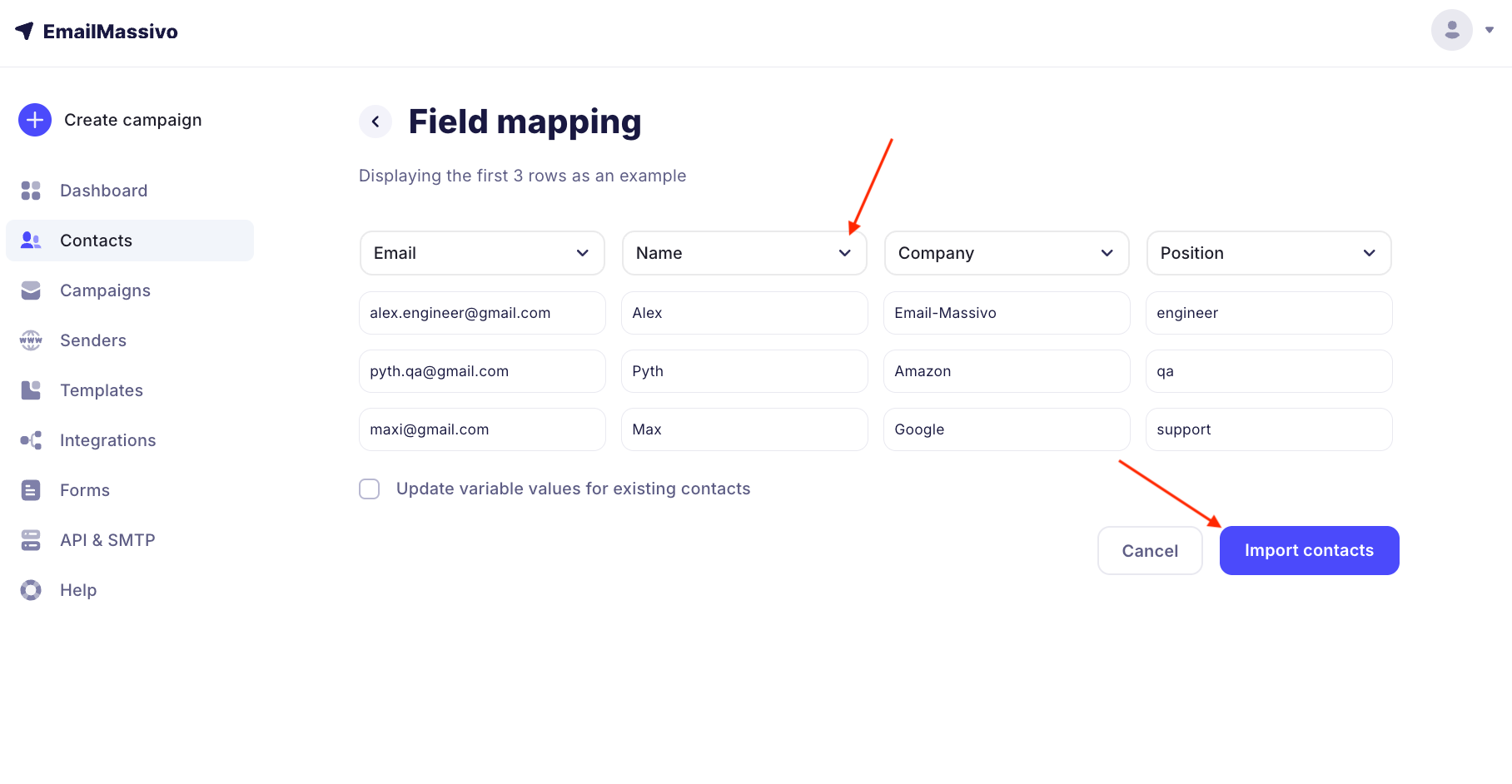
If you leave the value as "Ignore", data from this column will not be loaded. You must select at least one field: email or phone. Without them, import is not possible.
¶ Updating Existing Contacts
When reloading the database, enable the "Update variable values for existing contacts" option to:
- update position, company, phone;
- add new variables to already existing records.
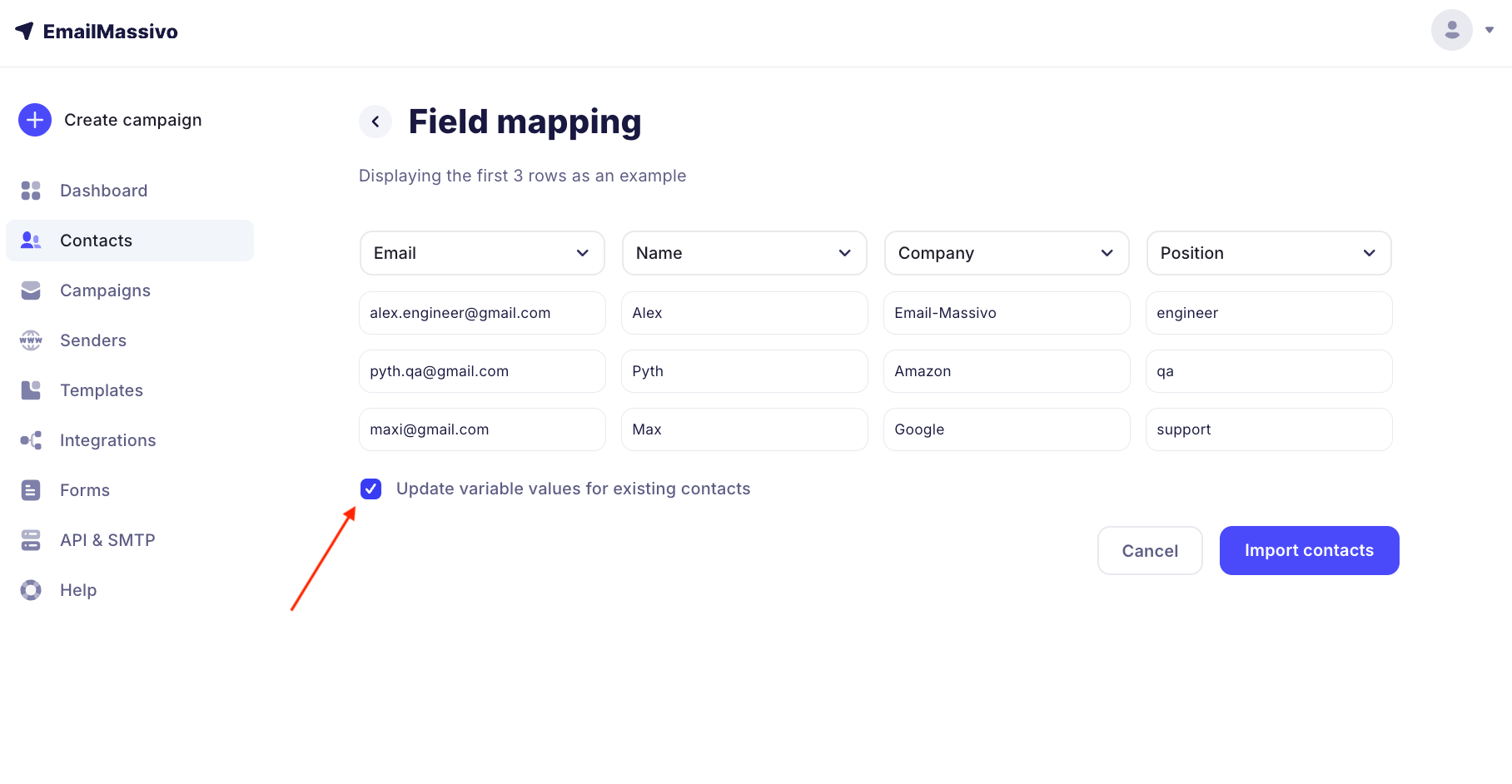
After import, the contact data will be replaced with new values.
¶ Import History
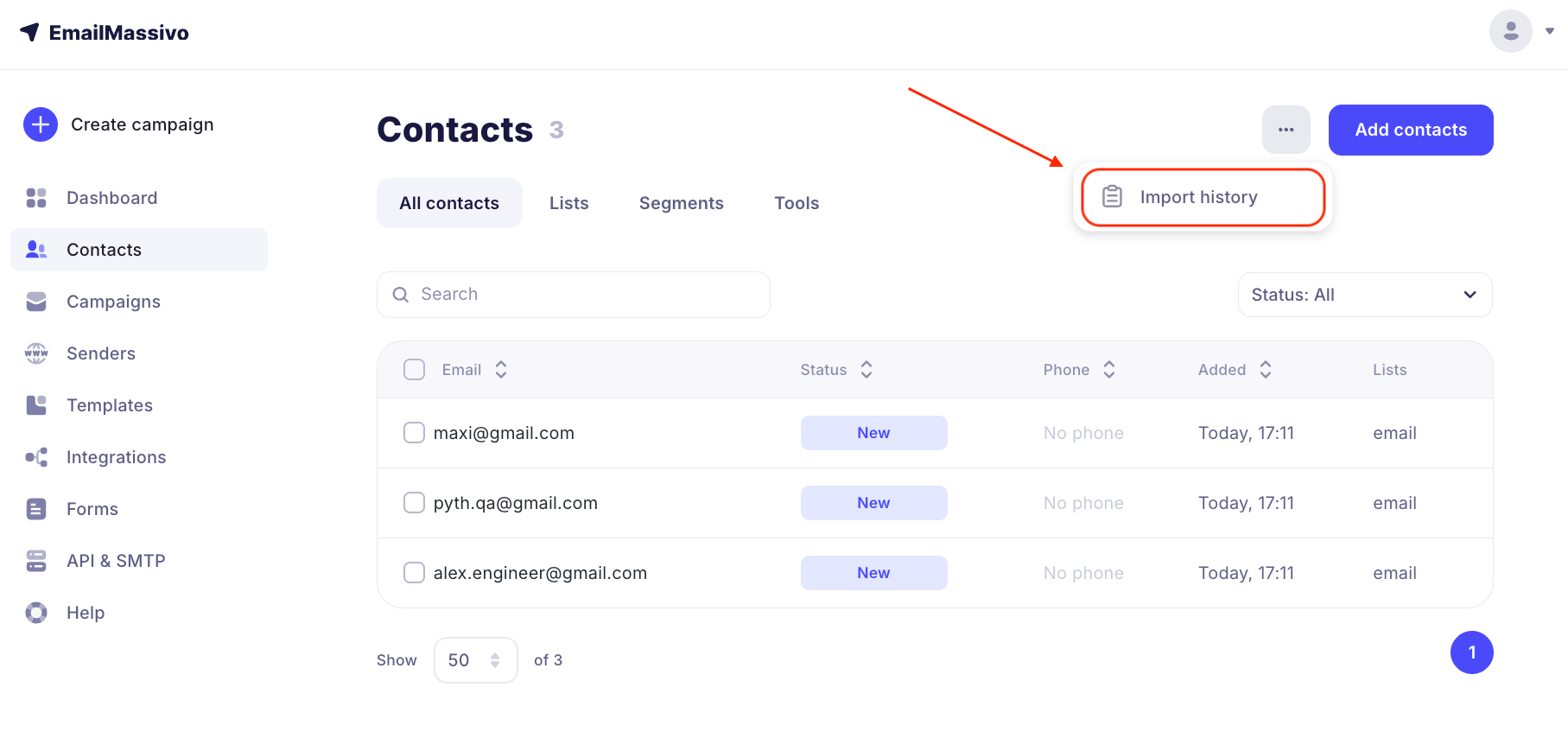
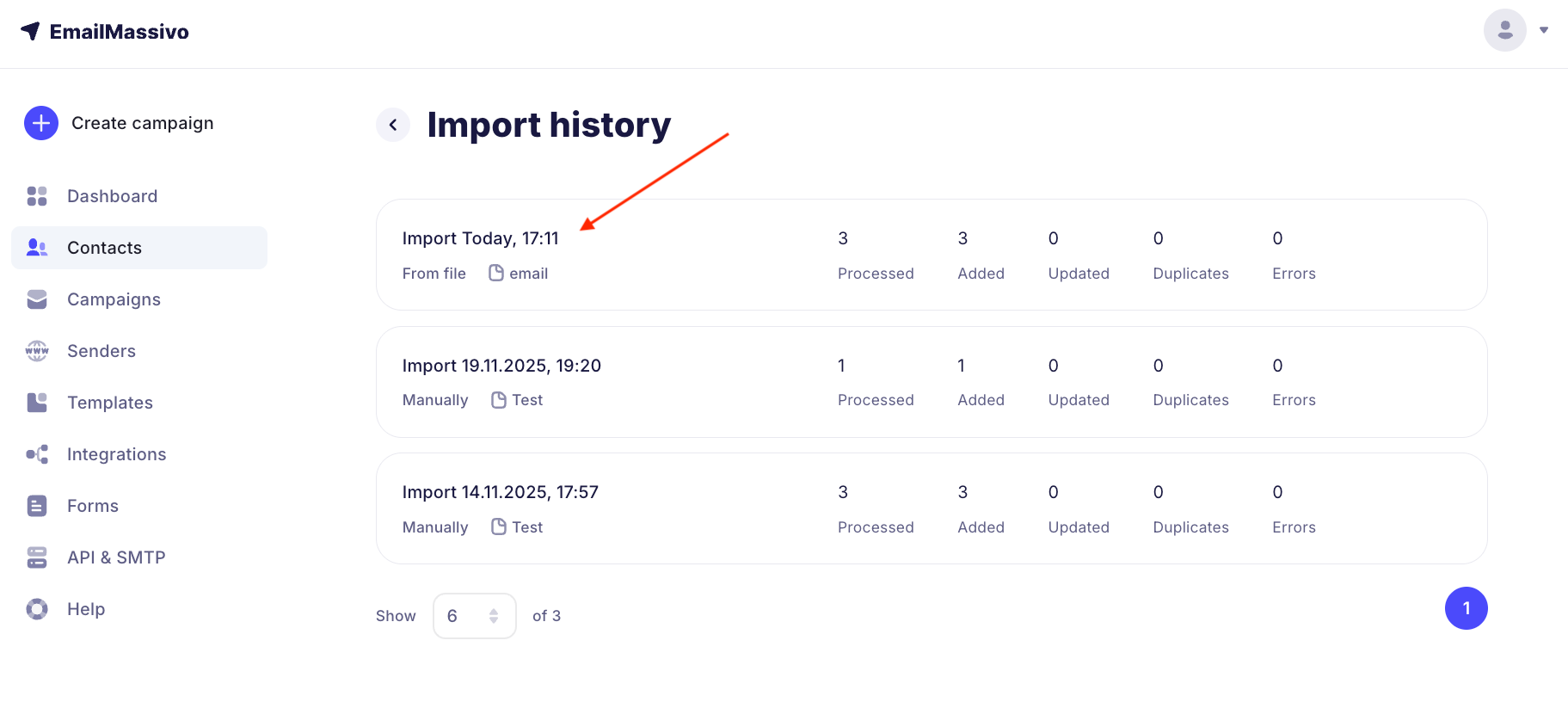
In the history section, you will see:
- import date and time;
- number of new and updated contacts;
- errors that occurred during upload.
Check the history to make sure the database has been updated correctly, and proceed to creating a campaign.