¶ How to Clean Contact List from "Bad" Addresses
Contact verification — EmailMassivo tool for cleaning the database from unavailable, unsubscribed, and complained addresses. Regular cleaning helps improve deliverability and campaign effectiveness.
¶ Where to Find the Function
Contact verification is available in three places:
- In the "Lists" Section
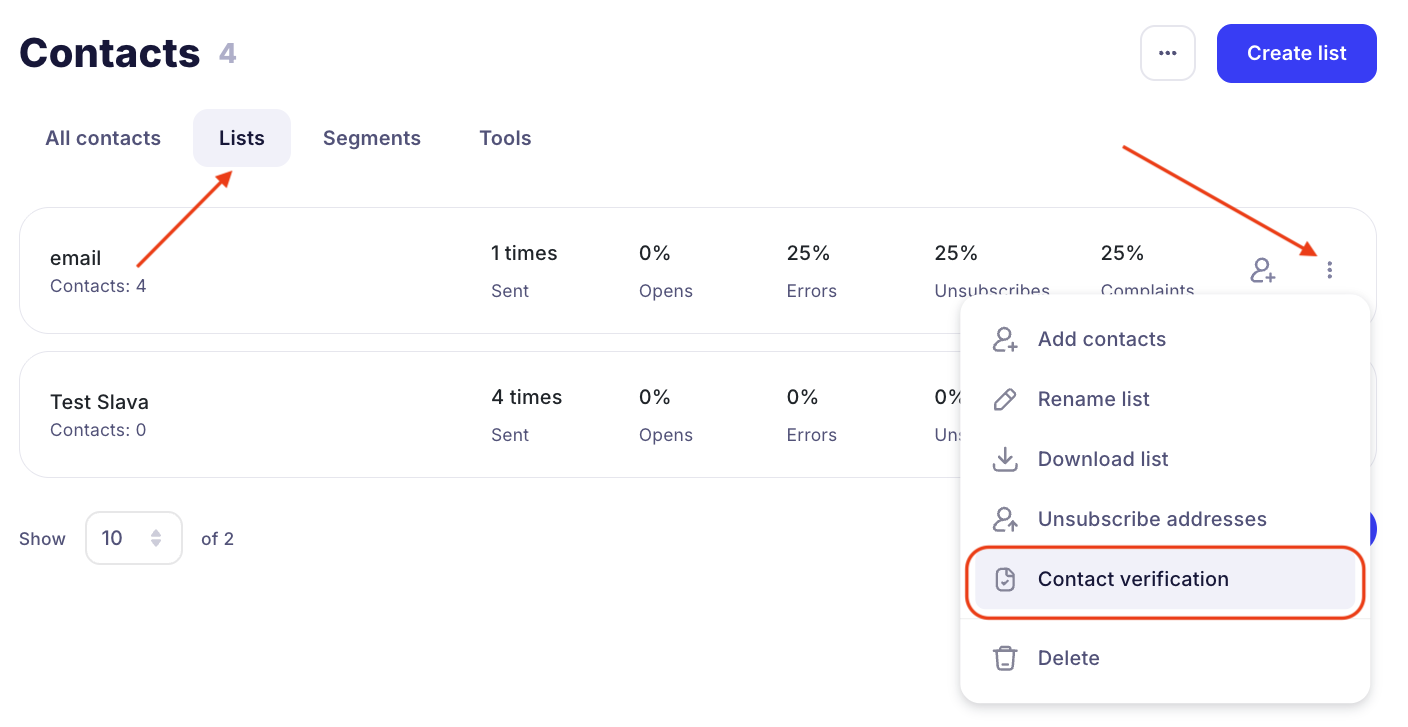
- Go to the Contacts → Lists section.
- Open the menu of the desired list (three dots on the right).
- Select "Contact verification".
- Inside a Specific List
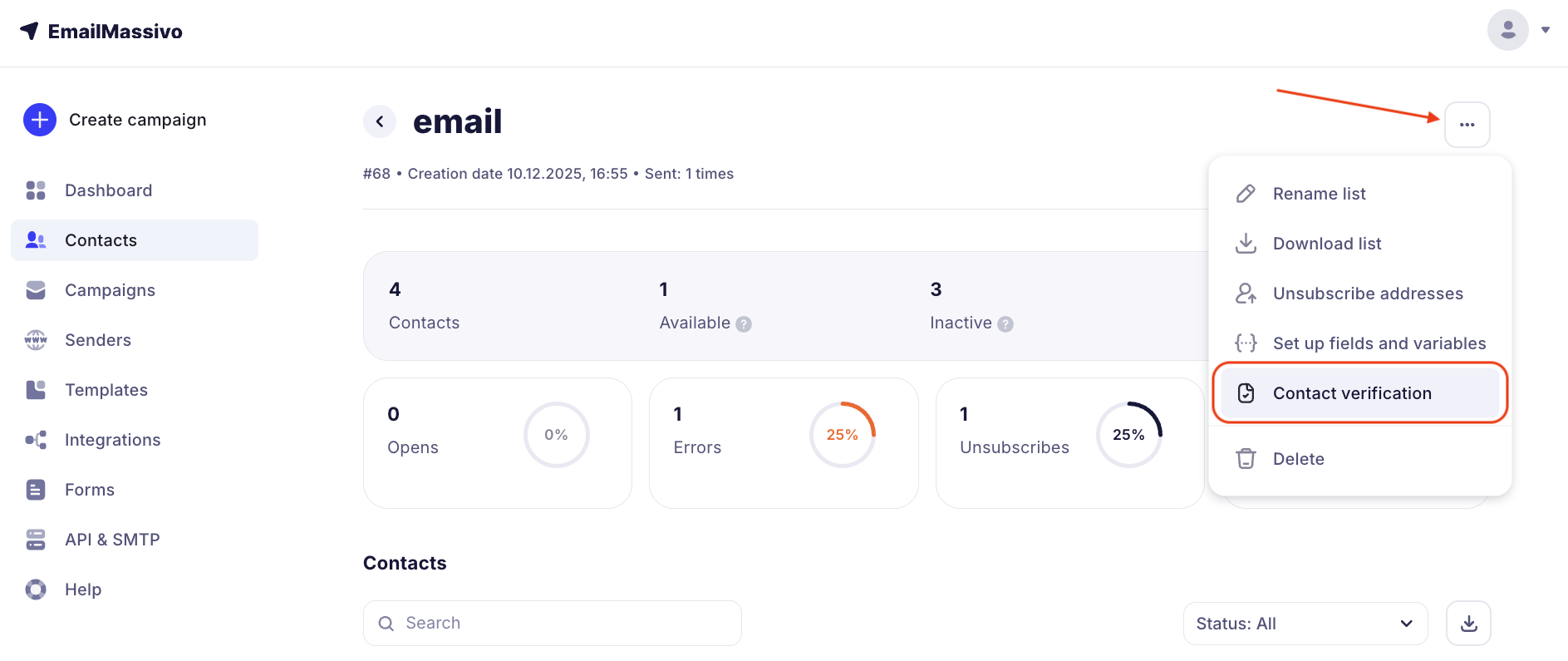
- Go to the Contacts → Lists section.
- Open the desired list.
- In the actions menu (three dots on the top right) select "Contact verification".
- In the "Tools" Section
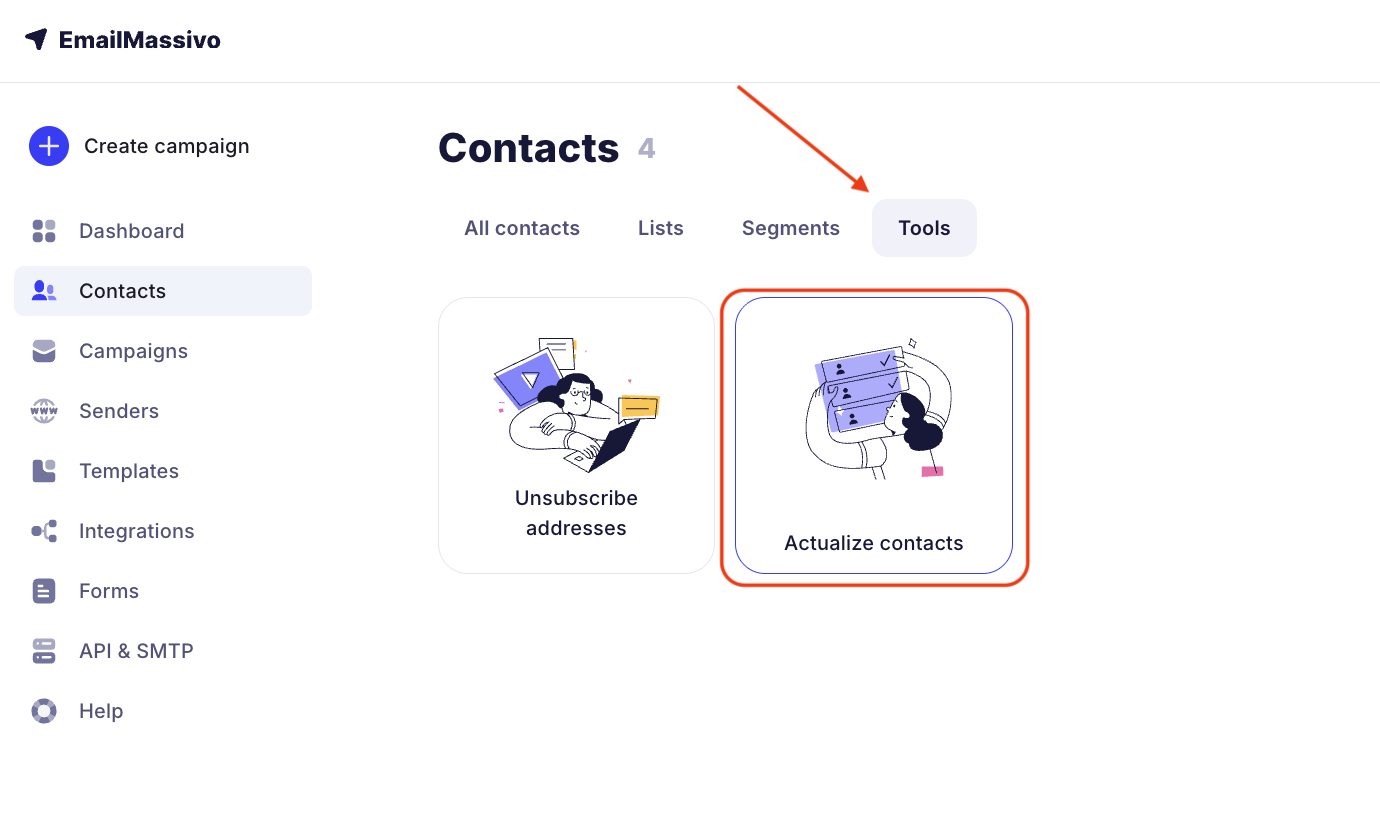
- Go to the Contacts → Tools section.
- Select the Contact verification card.
¶ How to Select a List for Cleaning
There is a dropdown list at the top of the page.
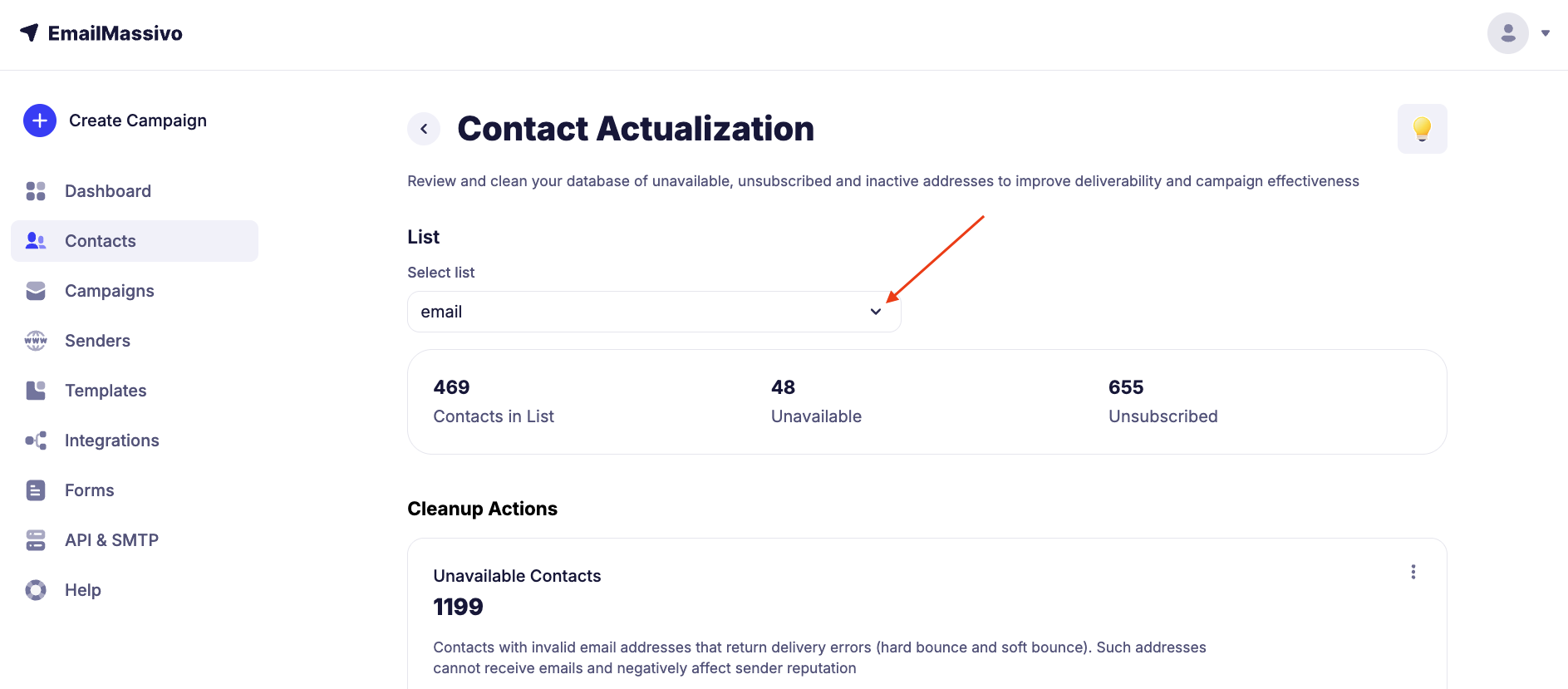
You can select:
- All Contacts (clean the entire database at once).
- Specific List (for example, "Website Subscribers" or "Customers").
¶ What Can Be Deleted
¶ 1. Unavailable Contacts
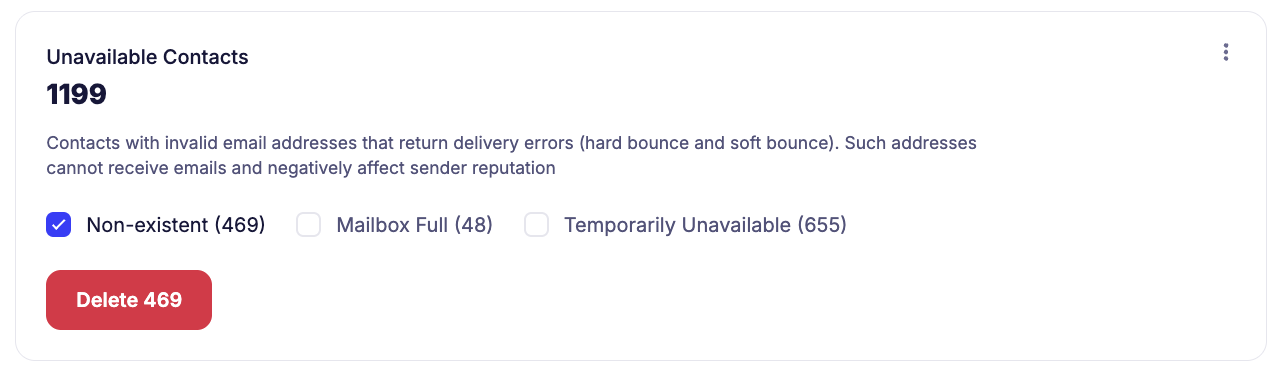
Addresses that return delivery errors (hard bounce and soft bounce). These include:
- Does not exist — addresses that do not exist or have been deleted.
- Mailbox full — addresses that do not accept emails due to mailbox limit.
- Temporarily unavailable — addresses that do not accept emails at the moment but may become available later.
Tip:
It is recommended to delete non-existent addresses first
¶ 2. Unsubscribed Contacts
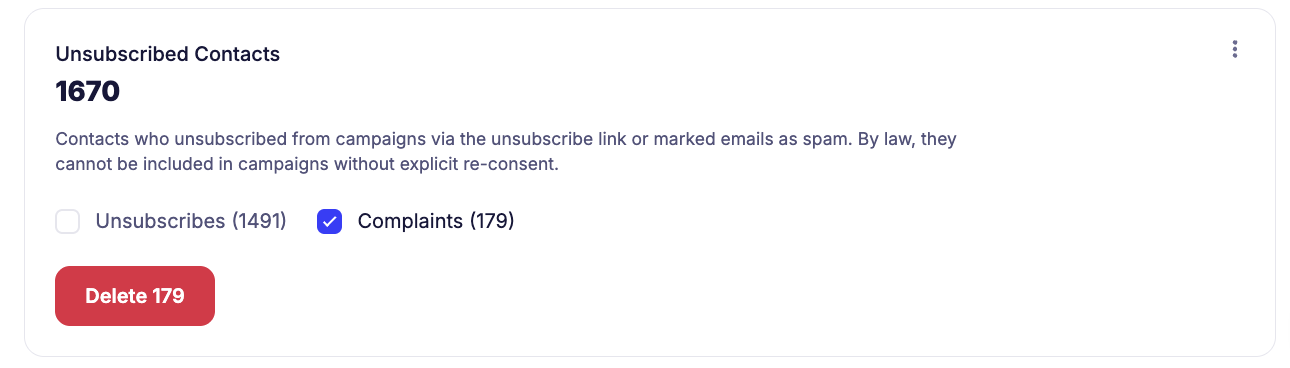
Contacts that:
- Unsubscribed themselves from campaigns
- Complained about your emails as spam.
Important!
According to the law and email service rules, such contacts cannot be added back to the list without explicit renewed consent.
¶ How to Clean the Database
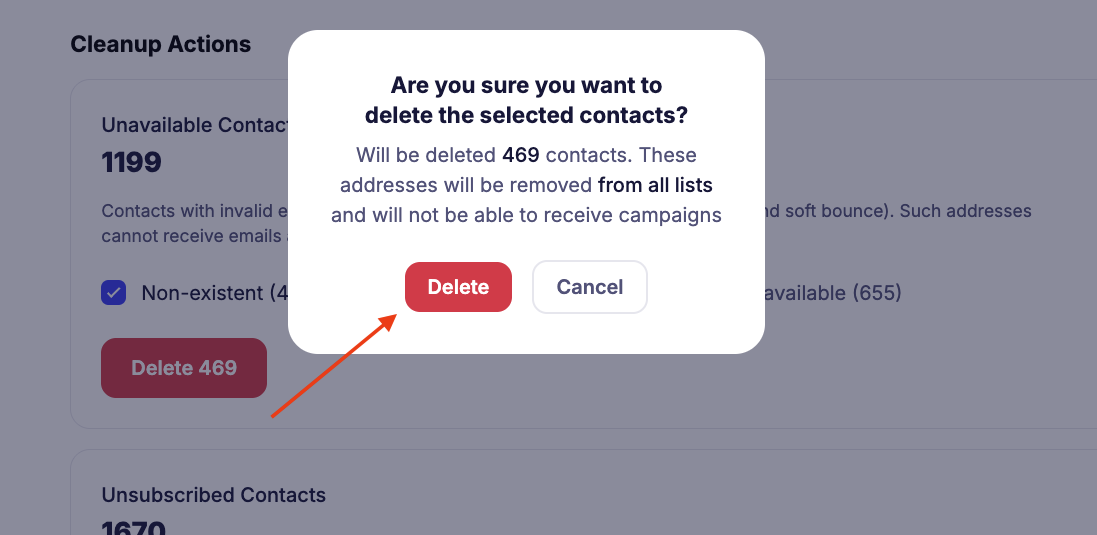
- Select a list or the entire database.
- Mark the address categories you want to delete.
- Click the "Delete" button.
- Confirm deletion in the pop-up window.
Deleted contacts will disappear from all lists and will no longer receive your emails.
¶ Important to Know
- Cleaning is irreversible — contacts cannot be restored.
- It is better to perform contact verification regularly, especially if the database is large.