¶ How to create and use contact segments
Segmentation is one of the ways to run an email campaign. It lets you split subscribers into groups with similar characteristics so you can see how they respond to a given product or service.
The point of segmentation is to send unique messages to a specific group. For example, you can send special-offer emails to those who have only recently started using your services, and send loyalty programs to VIP clients.
At the same time, it improves metrics such as relevance, reduces unsubscribes, increases deliverability and boosts profit thanks to qualified leads.
¶ How to Create a Segment in EmailMassivo
In the account dashboard, select Contacts, on the page that opens choose the Segments category, then click Add segment.
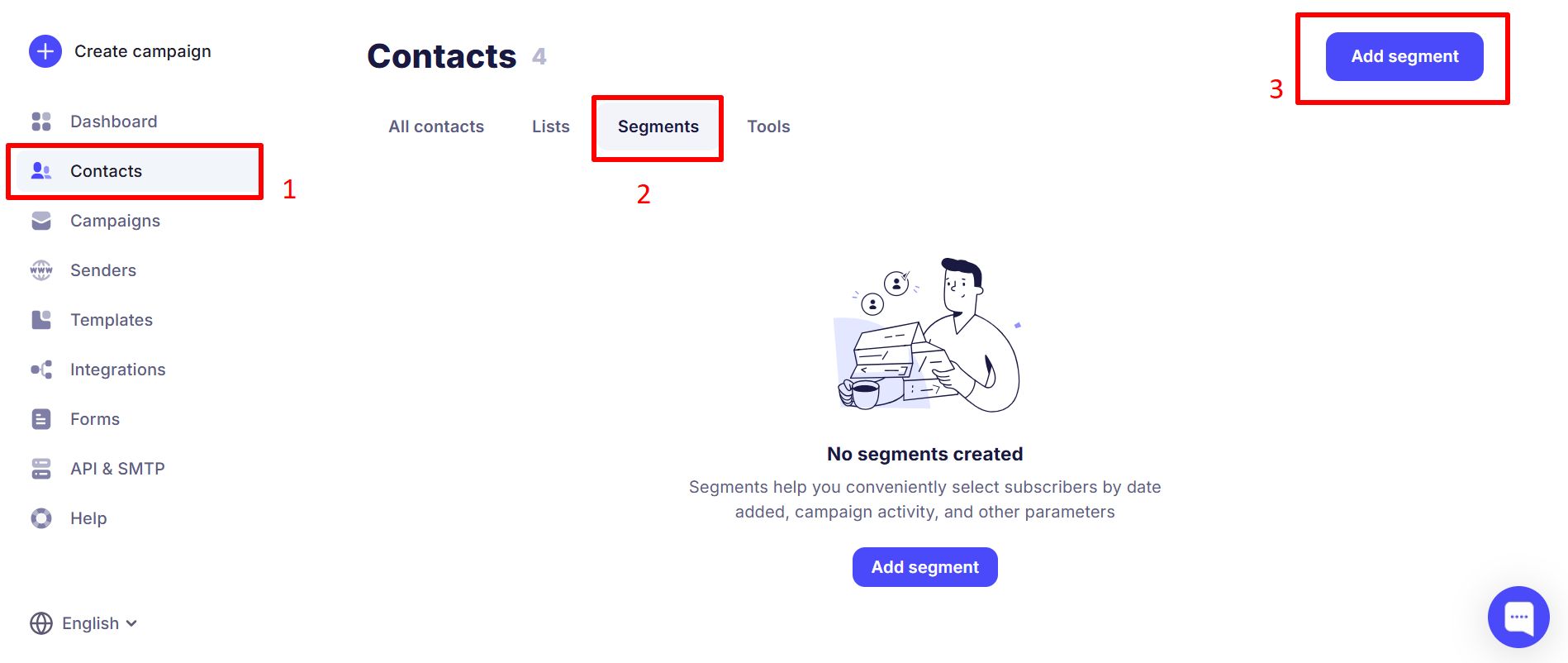
After entering the segment name you want, you can set the following parameters:
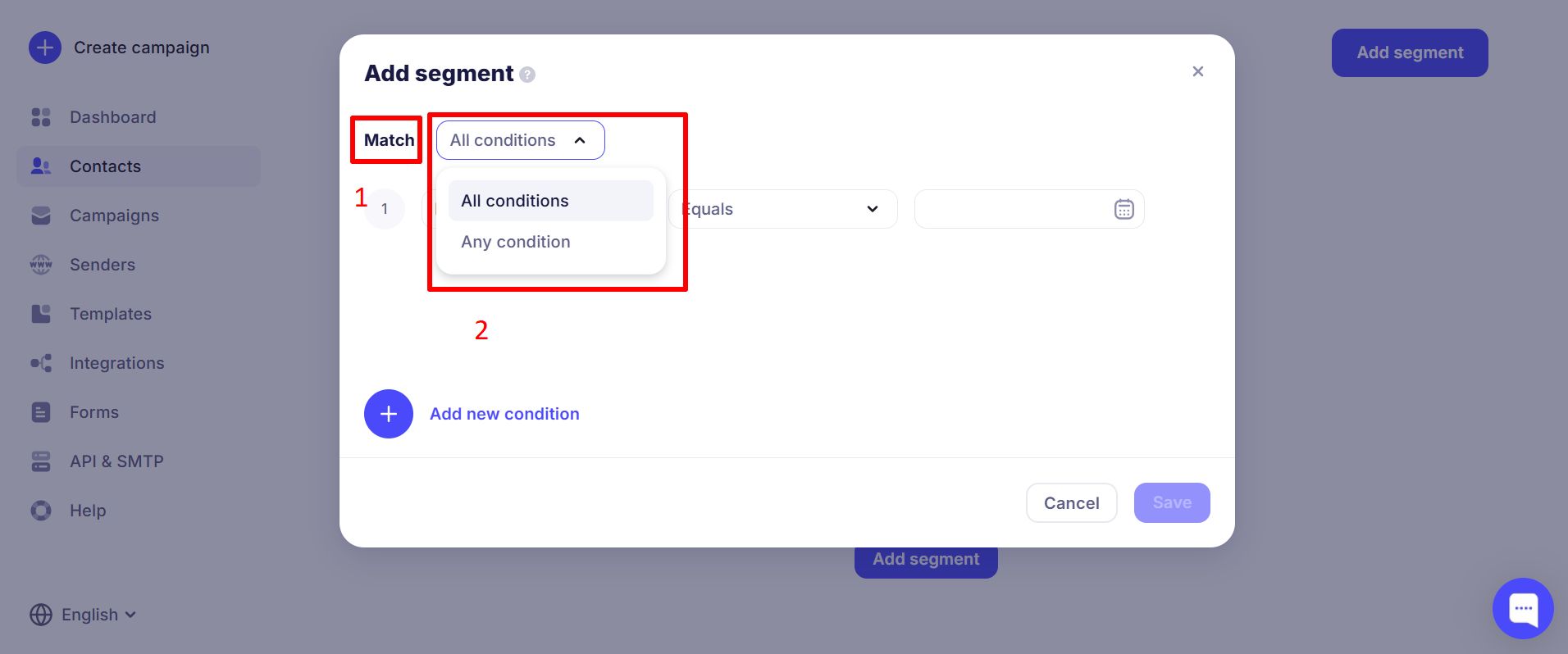
The first line when creating a segment, labeled "Executes", defines how many conditions are used when filtering and creating the segment.
- "All conditions at once" — all specified conditions must be met at the same time for the selected contacts.
- "At least one condition" — conditions are evaluated until at least one of them is met for the contacts.
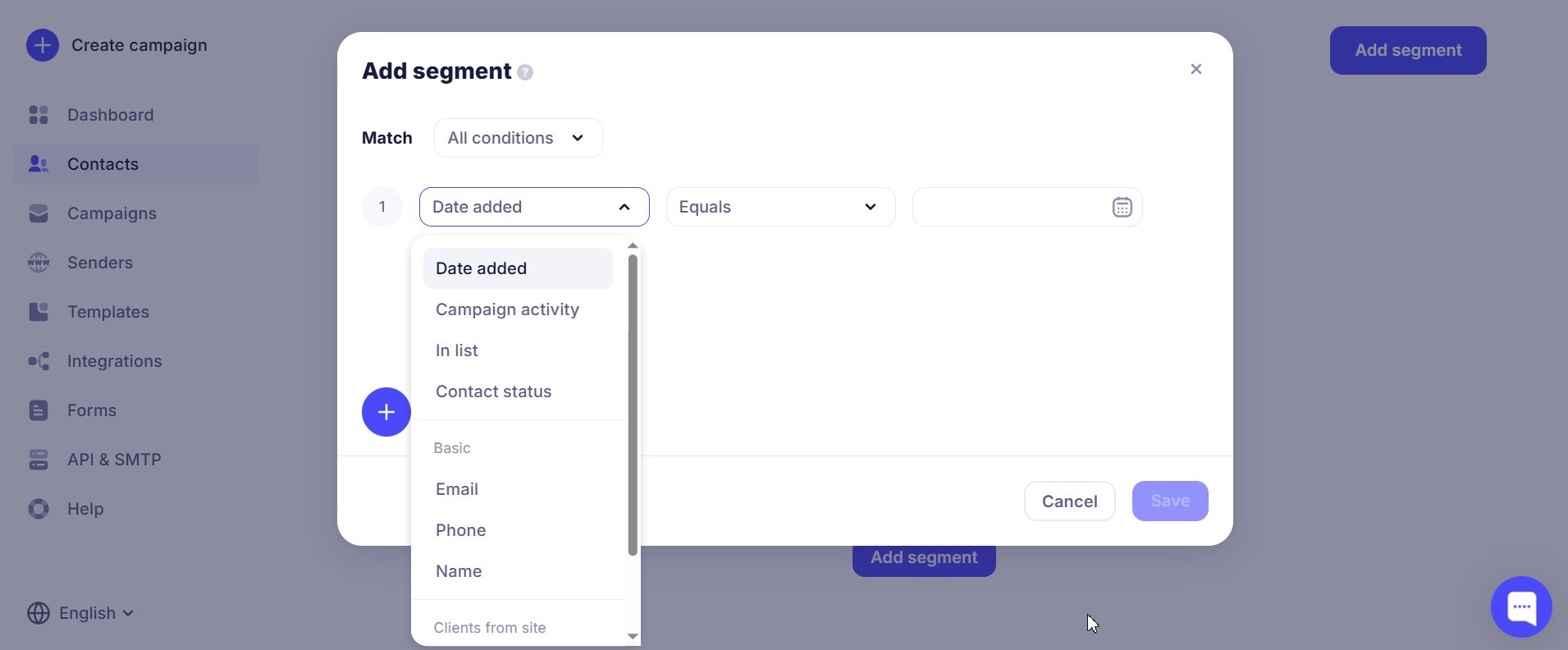
In the first column of the second row you can set the parameter. For example, you can check behavior in a previous campaign or a contact field (system or custom).
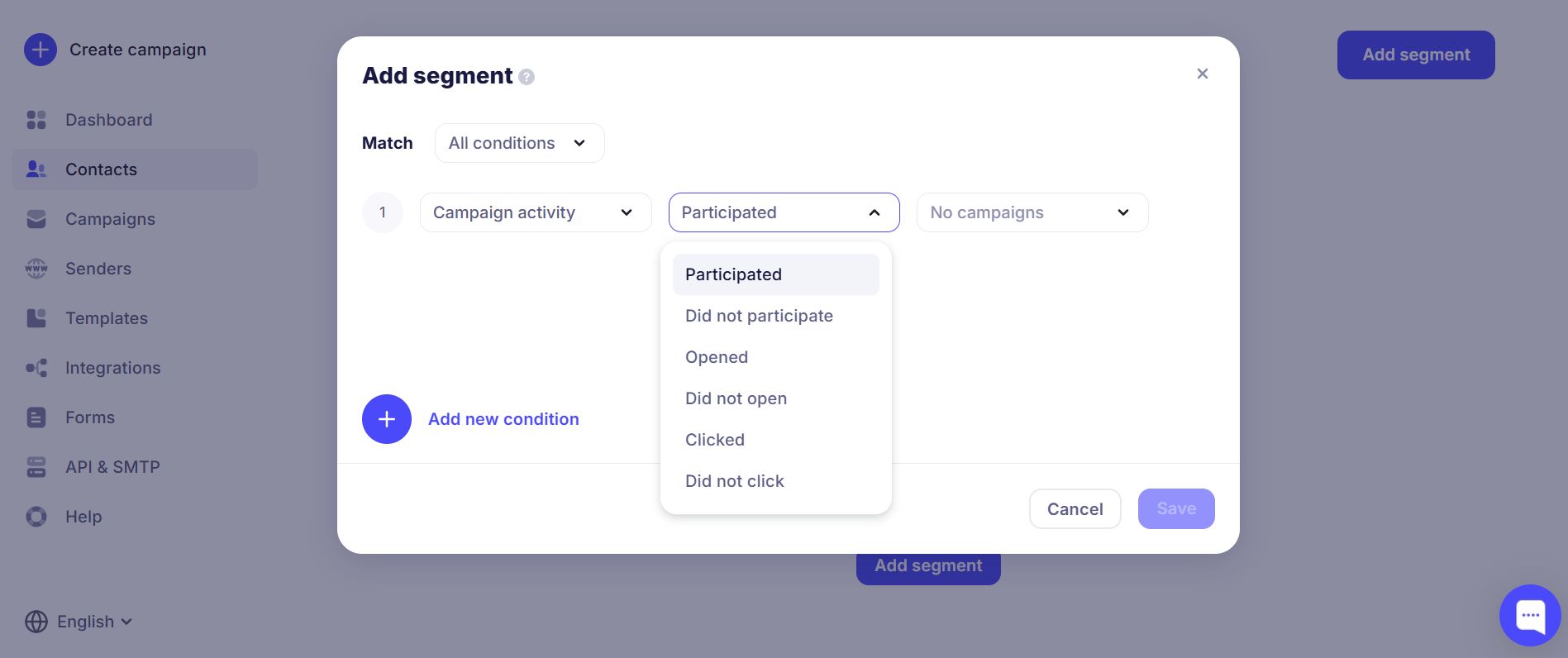
The second column is for the parameter value. For example, if you chose the "Activity in campaign" parameter, you can select whether the contact opened the email or not.
The third column depends on the first two and may contain extra options. If the first two refer to activity in a campaign and whether the contact opened the email, the third column will let you choose which campaign to filter by for this segment. You can find the campaign by name in the search field.
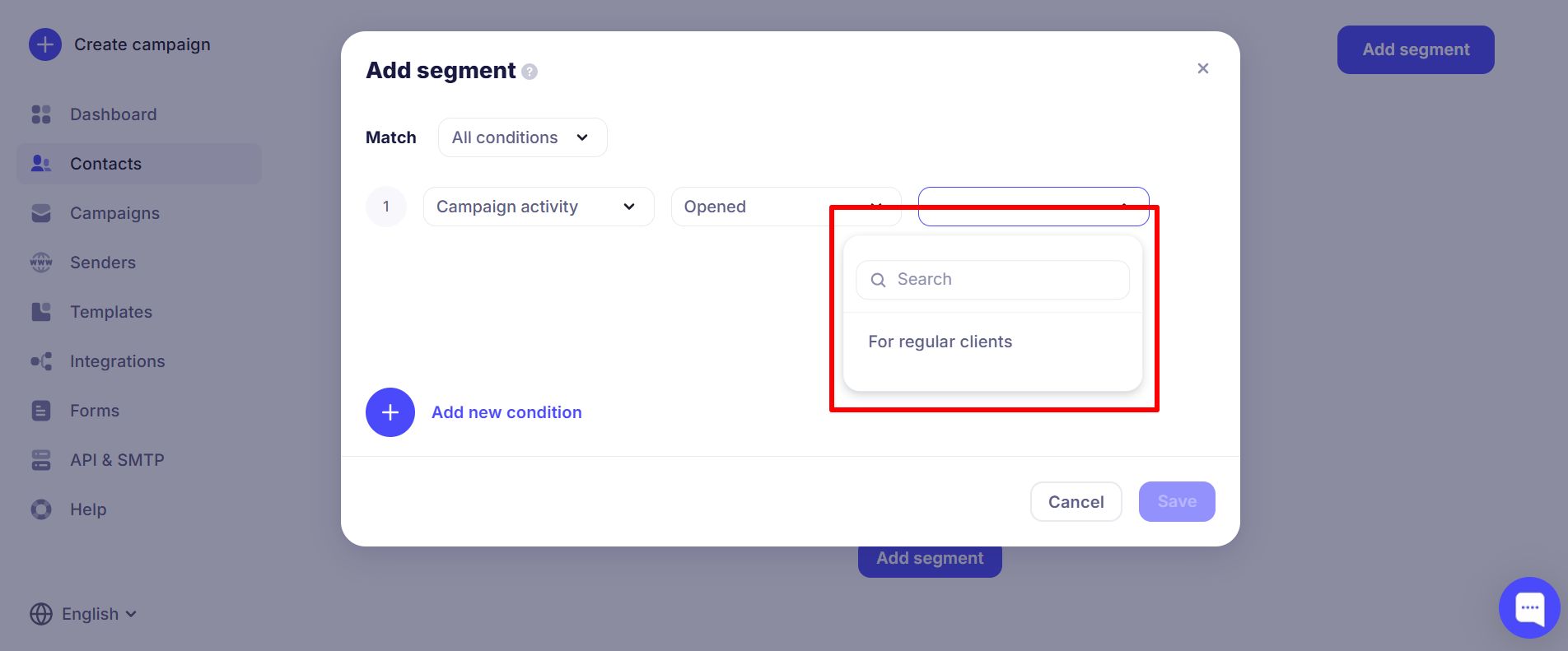
You can add several such filters for contact segmentation; the main thing is to keep the logic consistent and avoid rules that contradict each other.
You can also use contact segments from existing lists and past campaigns when creating a new campaign. This option is in the "To" category.
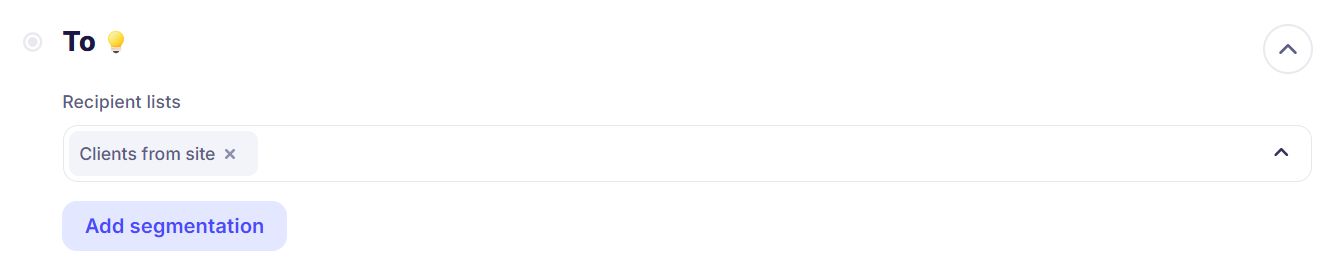
For example, with segmentation you can run a campaign for new clients with a special offer.
You can segment by different criteria for more effective marketing campaigns. Below are examples of segmentation criteria that will help you see what works best for your campaign topic.
¶ Segmentation by Custom Fields
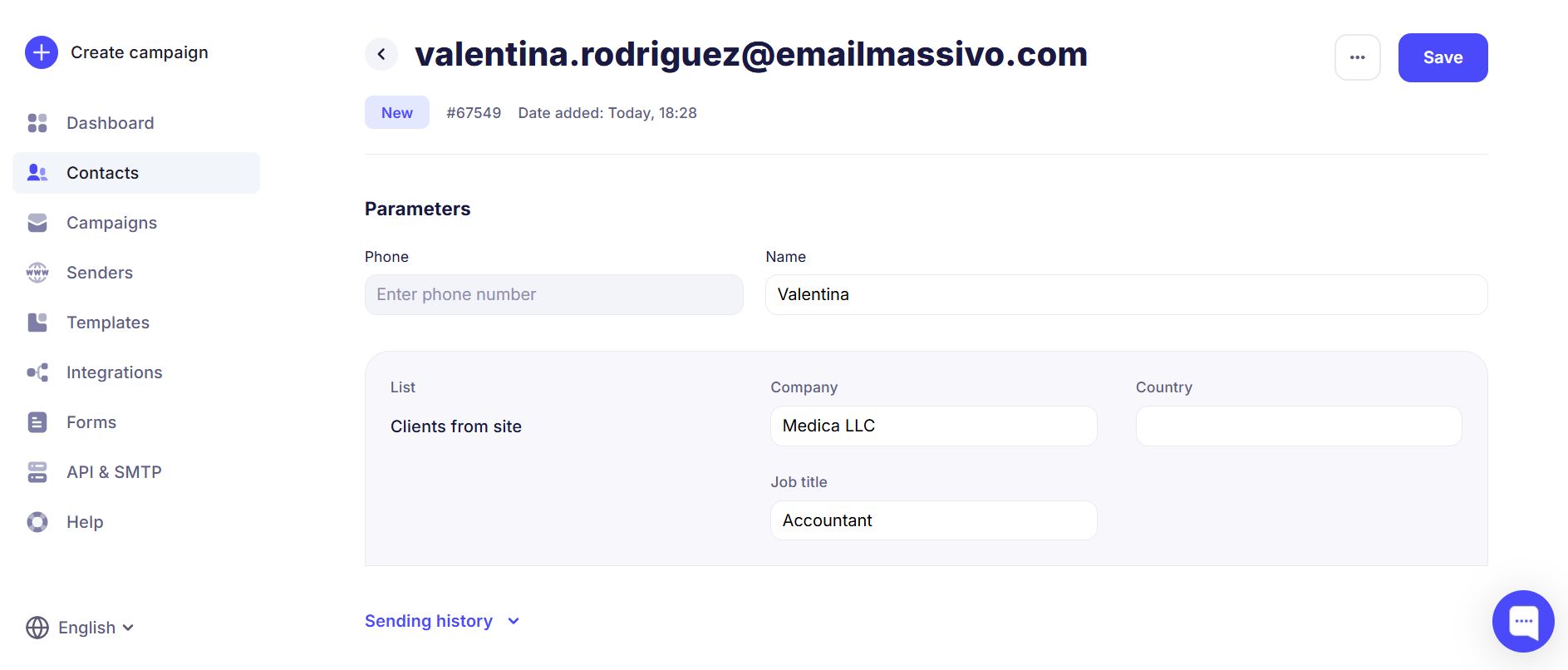
You can segment recipients by any criteria (e.g. name, job title, or company name). When uploading contacts, add variables separated by commas and click "Next".
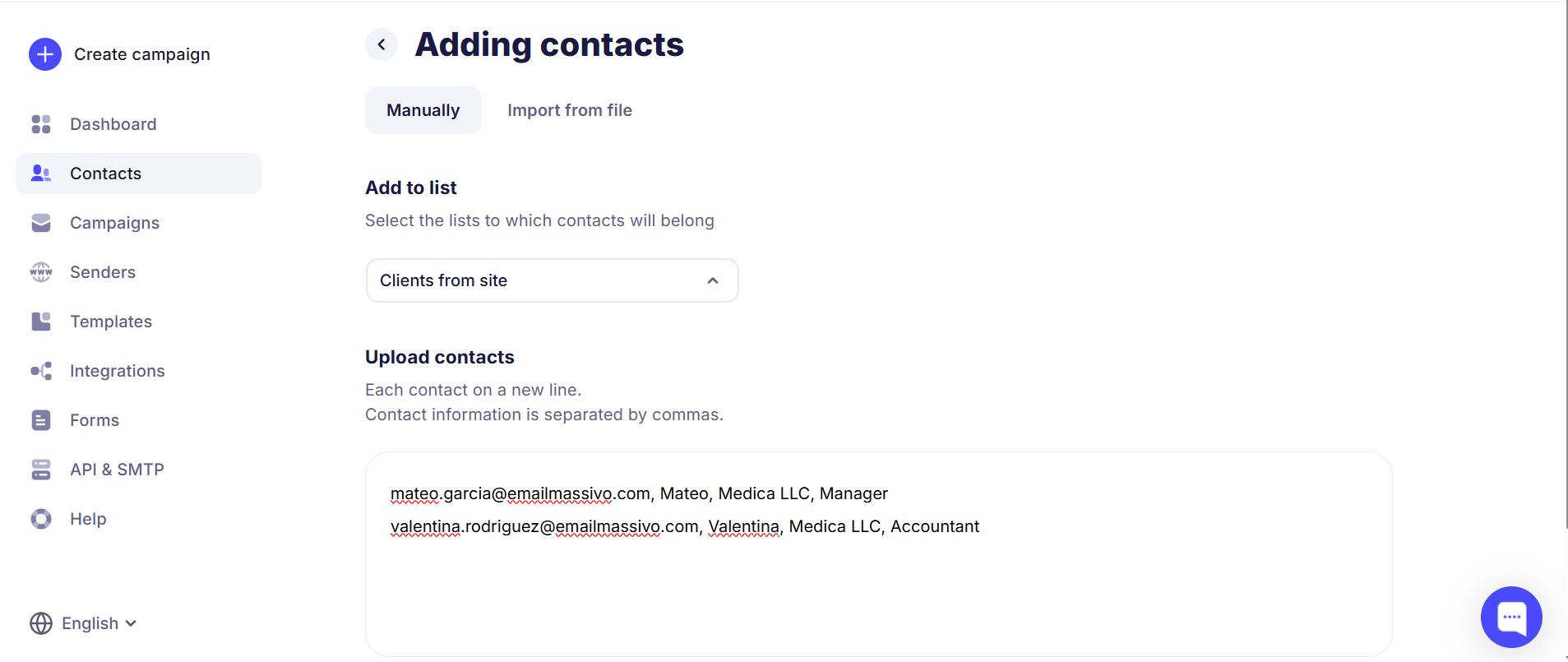
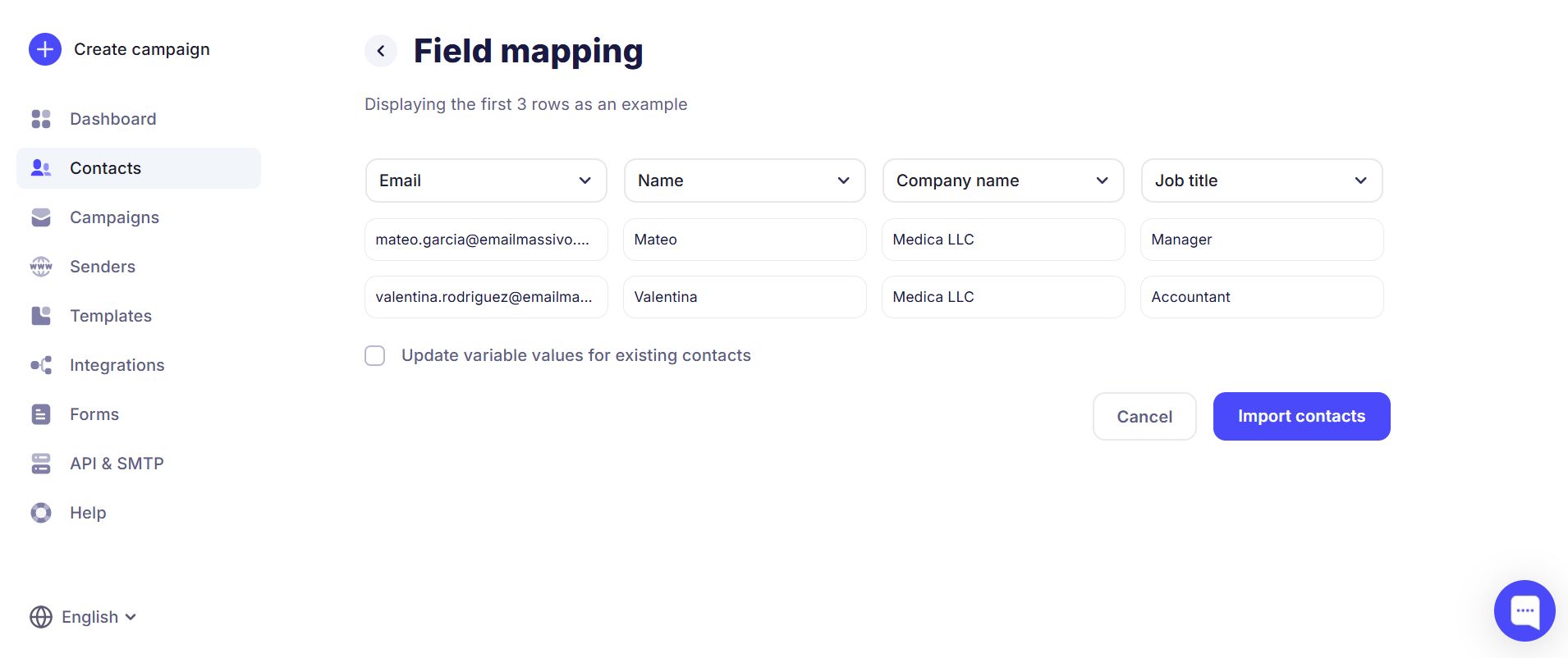
Select values for the variables or create new ones and click "Import contacts".
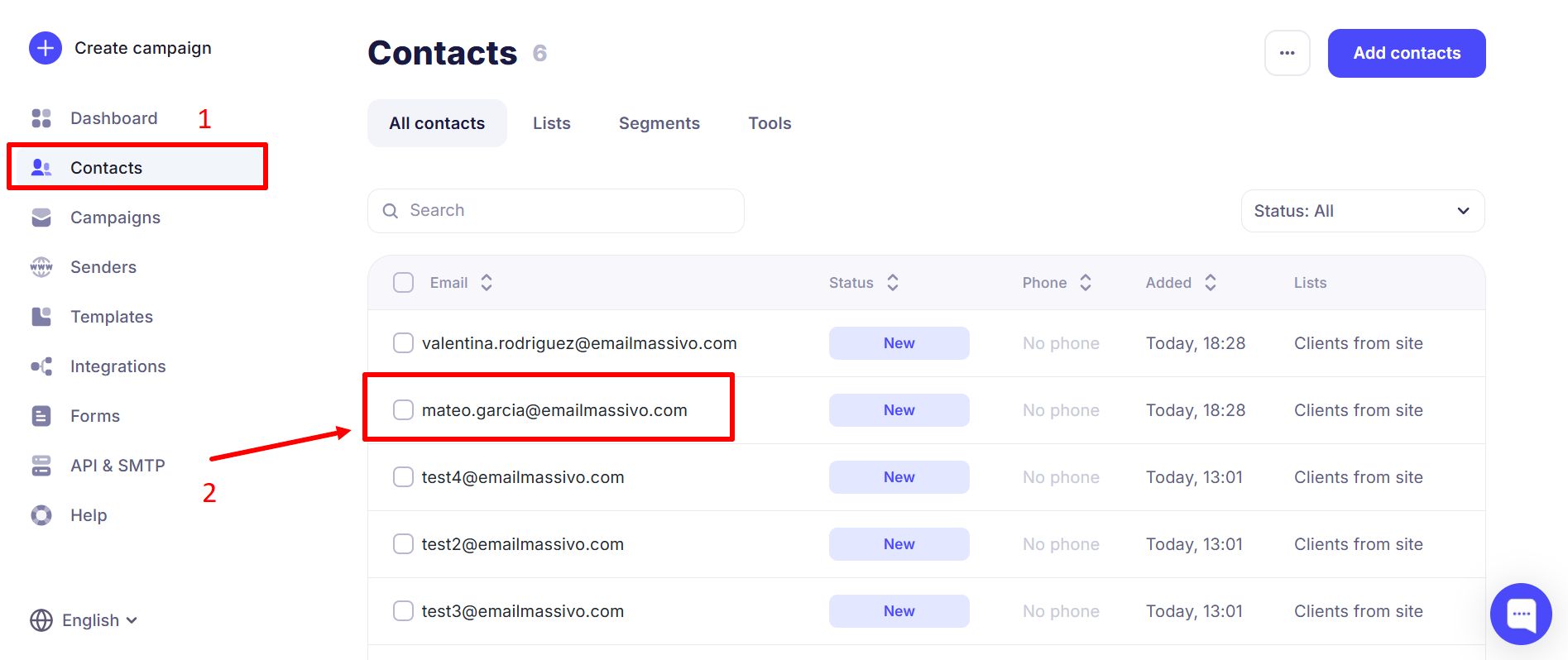
To view recipient information in the Contacts section, click the contact you need:
Here is an example of correct variable field filling:
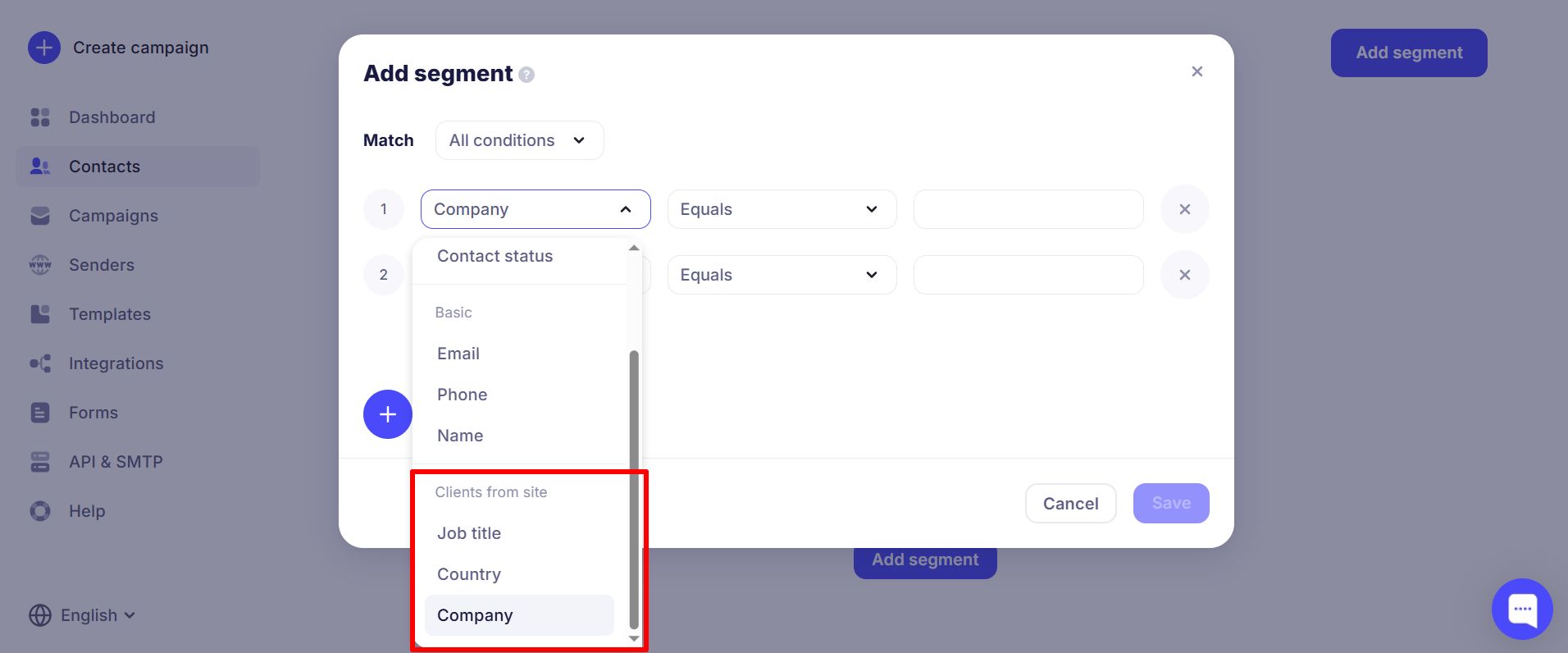
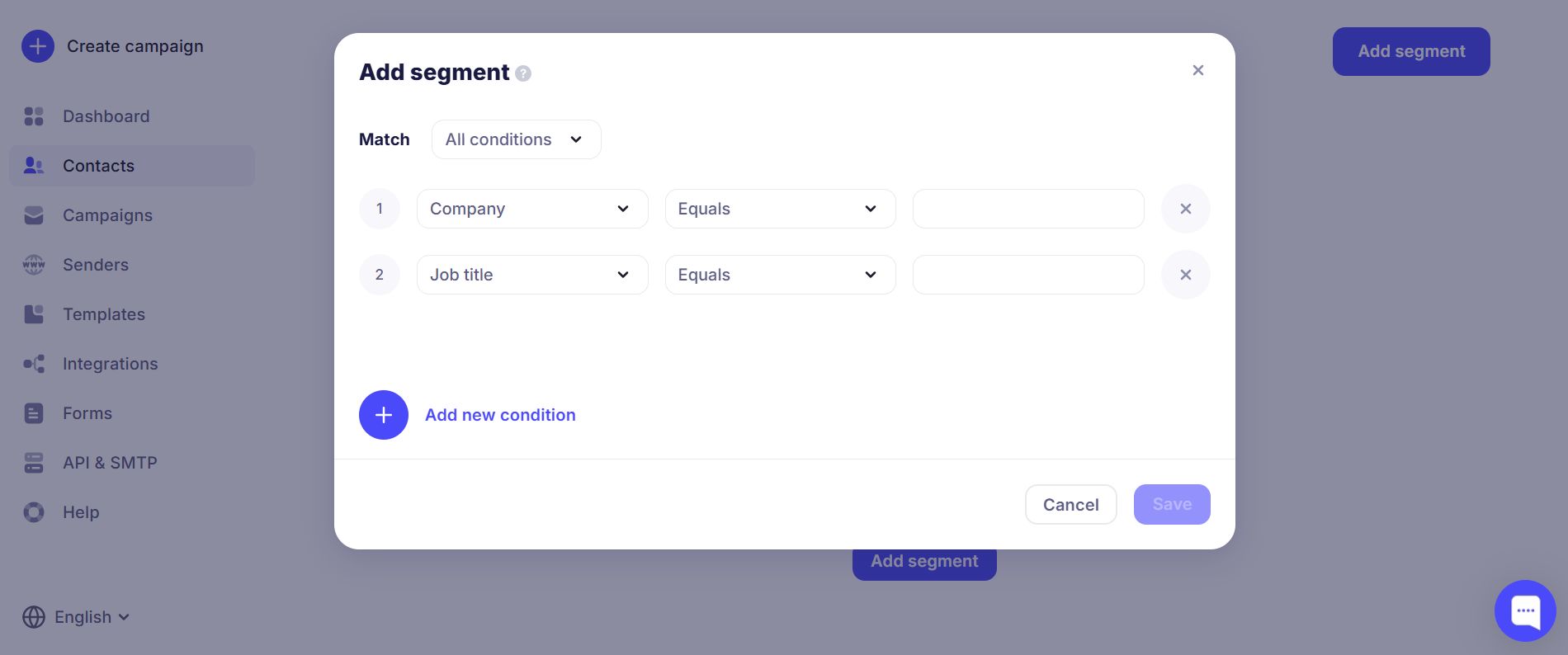
When creating a campaign you can now add new segments:
¶ Segment Types
Segmentation is used to filter by parameters related to the contact's "Email" variable.
You can set these conditions:
- "contains" — finds addresses that contain the value you enter; used for partial match;
- "equals" — finds an exact match for the value you enter;
- "does not equal" — finds all addresses that do not contain the value you enter; used for exact exclusion;
- "has value" — finds contacts that have an address;
- "is empty" — finds contacts that have no address;
- "does not contain" — finds addresses that do not contain the value you enter; used for partial exclusion.
¶ Date added
Used to find contacts by date added. You can choose:
- "later than" — all contacts added after the selected date;
- "earlier than" — all contacts added before the selected date;
- "equals" — contacts added on the selected date.
¶ In list
You can choose:
- "is in" — shows contacts that are in the selected list;
- "is not in" — shows all contacts that are not in the selected list.
¶ Phone
The segment is used to filter contacts by the "Phone" variable (numeric values).
You can set these conditions:
- "contains" — finds contacts whose phone number contains the digits you enter; partial match;
- "equals" — finds contacts whose phone number exactly matches the value you enter;
- "does not equal" — finds contacts whose phone number does not match the value you enter;
- "has value" — finds contacts that have a phone number;
- "is empty" — finds contacts that have no phone number;
- "does not contain" — finds contacts whose phone number does not contain the digits you enter; partial exclusion.
¶ Activity in campaign
Used to track recipient actions such as opens and clicks in the selected campaign.
To use this segment, campaigns must have been sent to the list.
Select the condition and the campaign to track from the dropdown.
Possible campaign conditions:
- "did not open" — recipients who did not open the selected campaign;
- "opened" — recipients who opened the selected campaign;
- "participated" — recipients who were in the selected campaign;
- "did not participate" — recipients who were not in the selected campaign;
- "clicked" — recipients who clicked at least one link in the selected campaign;
- "did not click" — recipients who did not click any link in the selected campaign.
¶ Name
- "contains" — finds contacts that contain the value you enter; partial match;
- "equals" — exact match for the value you enter;
- "does not equal" — all contacts that do not contain the value you enter; exact exclusion;
- "has value" — finds contacts that have a name;
- "is empty" — finds contacts that have no name;
- "does not contain" — finds contacts that do not contain the value you enter; partial exclusion.
¶ Contact status
- "equals" — finds all contacts with the selected status;
- "does not equal" — finds all contacts that do not have the selected status.