¶ Working with Folders in Campaigns
If you have many campaigns, you can group them into folders to make it easier to browse and find the ones you need.
Please note that:
- campaigns can either be in folders or remain outside any folder;
- a campaign cannot be in more than one folder at a time;
- you can rename a folder at any time;
- you can delete a folder at any time; campaigns in that folder will not be deleted.
¶ Creating a Folder
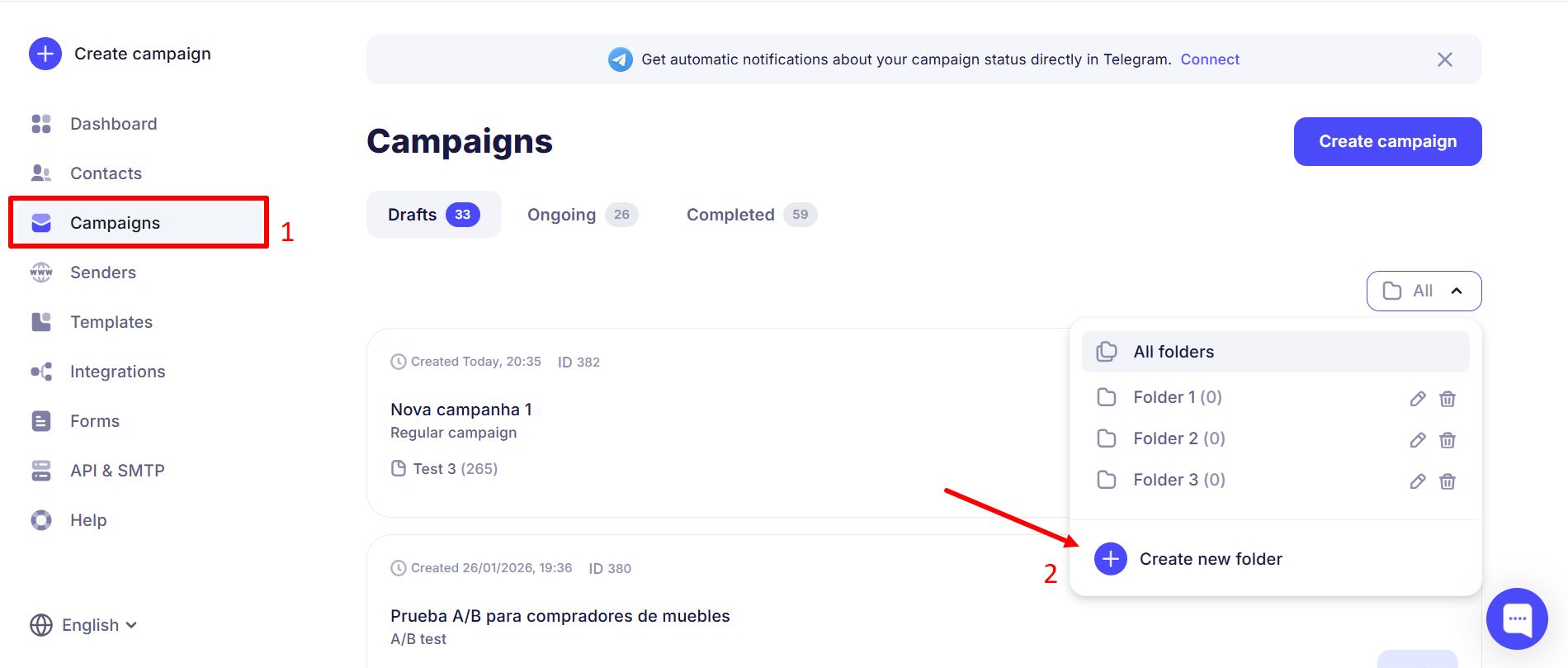
Go to Campaigns and click All folders → Create new folder.
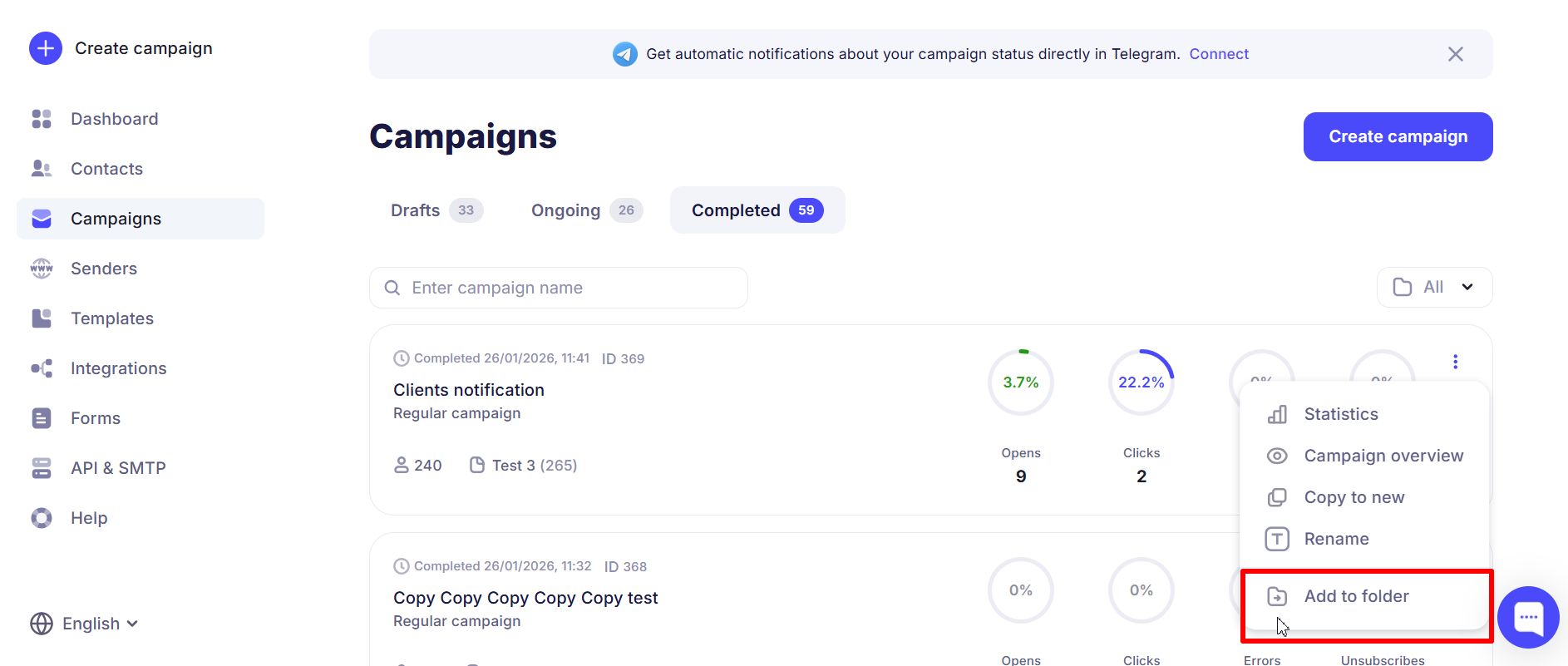
To add a campaign to a folder, open the campaign card:
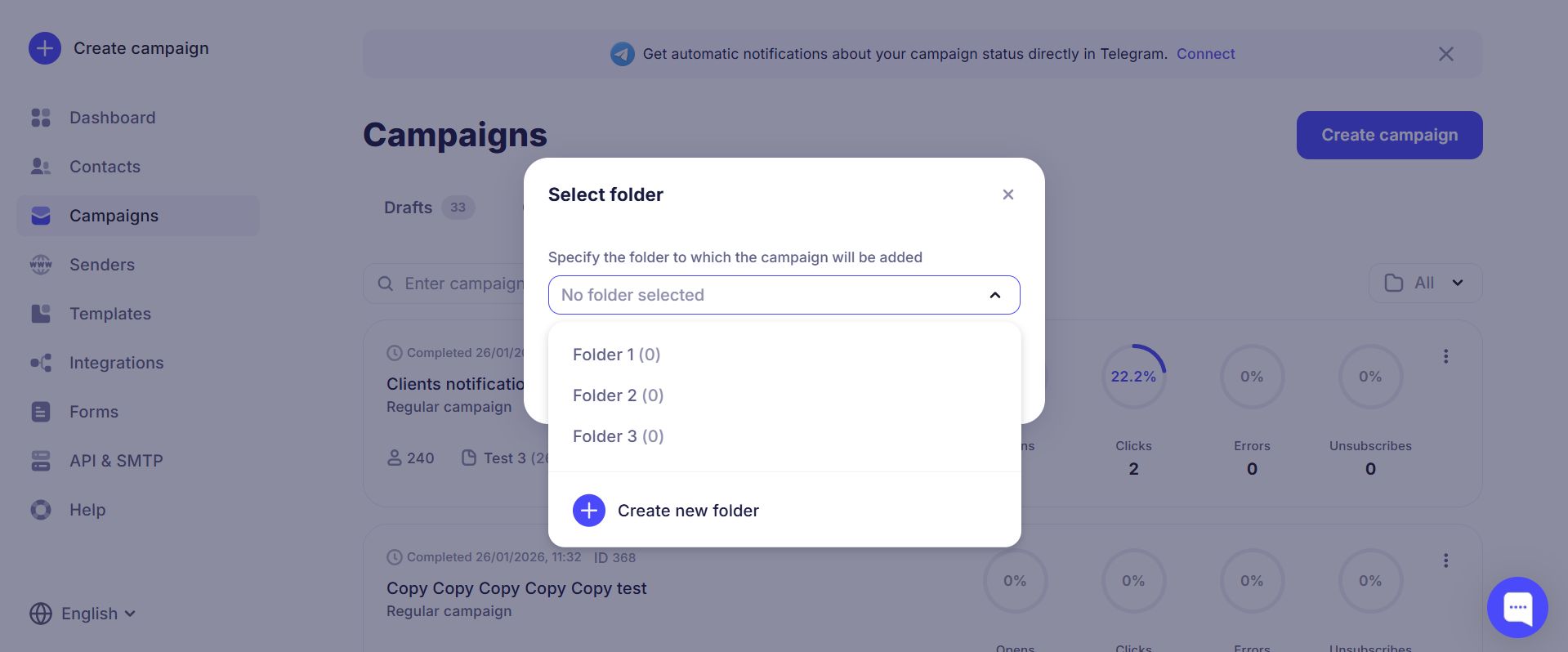
In the pop-up window, select an existing folder or create a new one:
If a campaign is already in a folder, you can remove it the same way via the three-dots menu.
Inside a campaign you can see which folder it belongs to.
¶ Filtering Campaigns by Folder
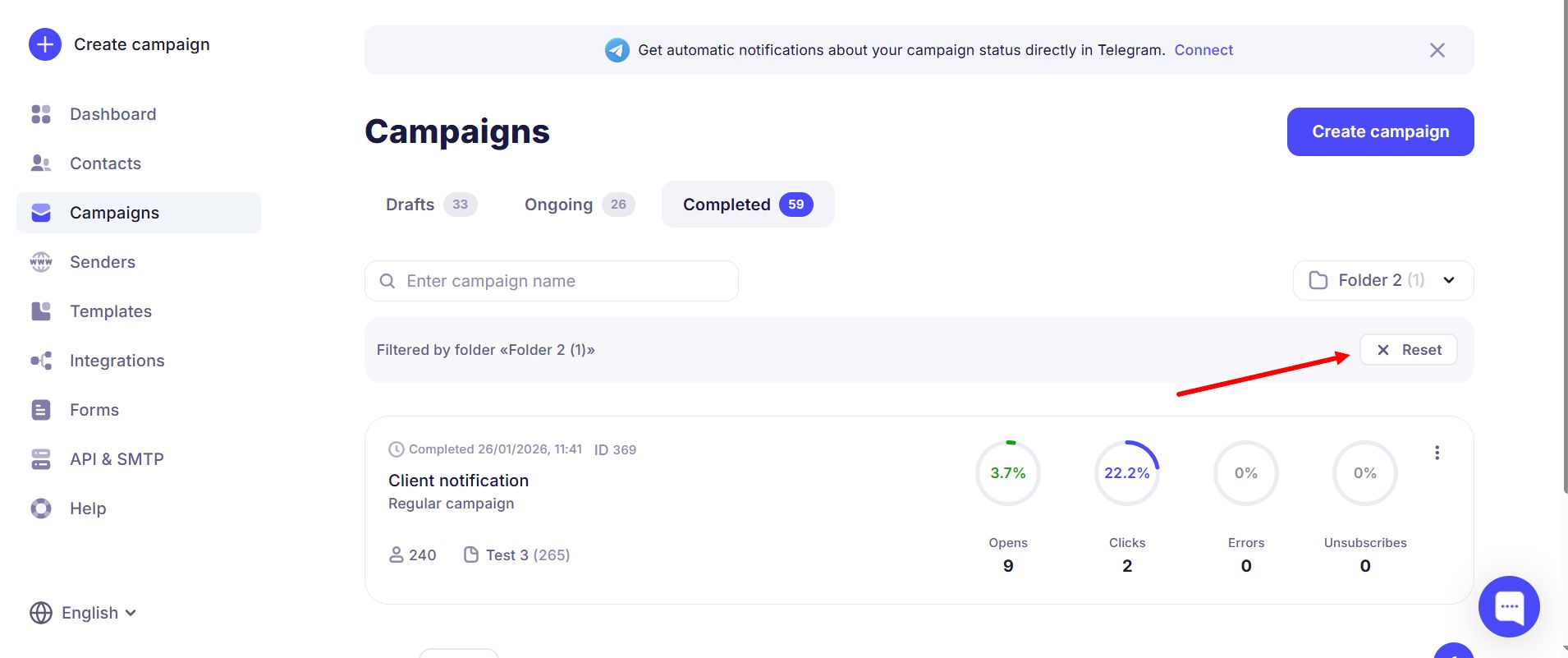
For example, after creating folders you can filter campaigns by regular customers or special offers. Select the folder you need from the dropdown and only campaigns in that folder will be shown.
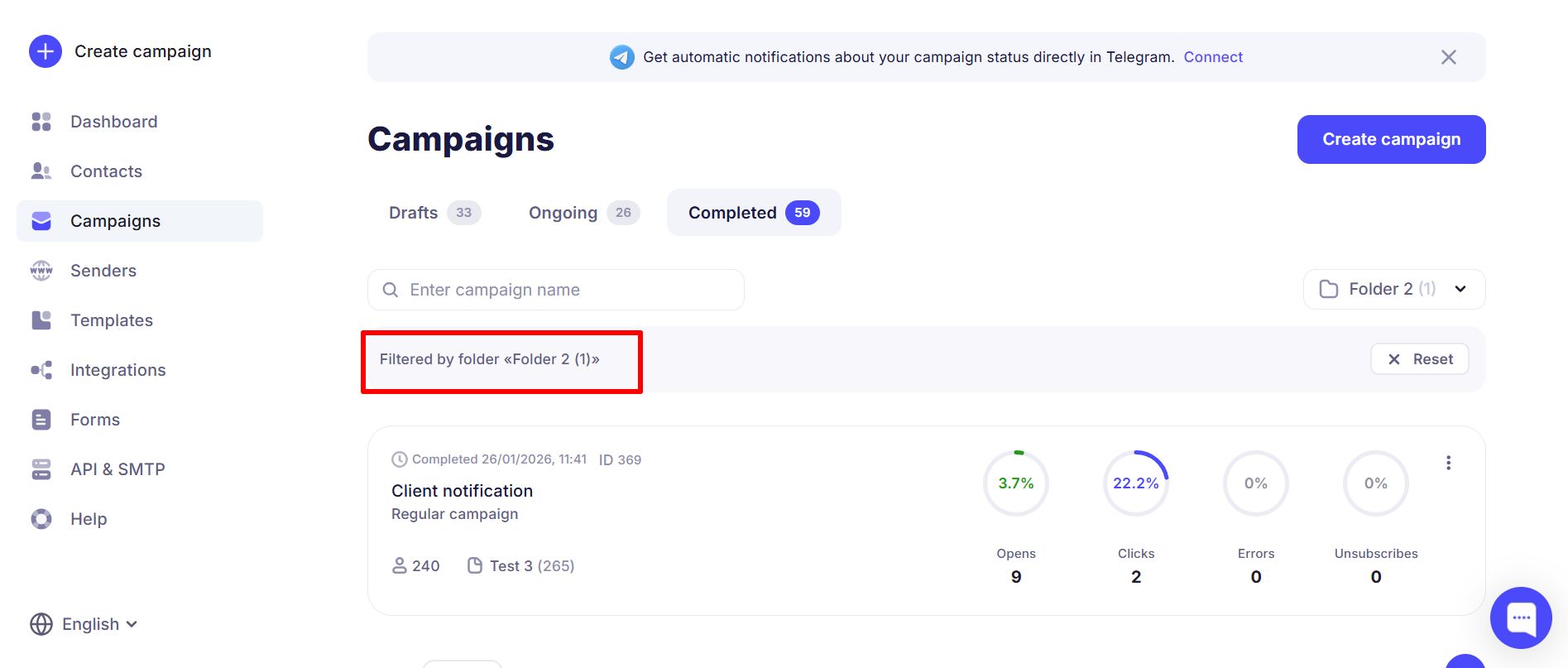
Click Reset to return to viewing all campaigns.