¶ How to Get Started with SMTP
You can also send transactional emails from your service using SMTP. For example, you can send users emails about abandoned carts, order shipping updates, order confirmation emails, and other notifications.
¶ Connection Data
Data for configuring email transmission:
- SMTP Server: smtp.emailmassivo.com
- SMTP Port: 465
- Encryption Type: secure TLS/SSL connection
Ports 587 and 25 are also available, supporting both encrypted and unencrypted connections.
To get your login and password, follow the instructions below.
¶ Creating SMTP Connection
To set up email transmission, you need to configure your domain and add a sender on the domain.
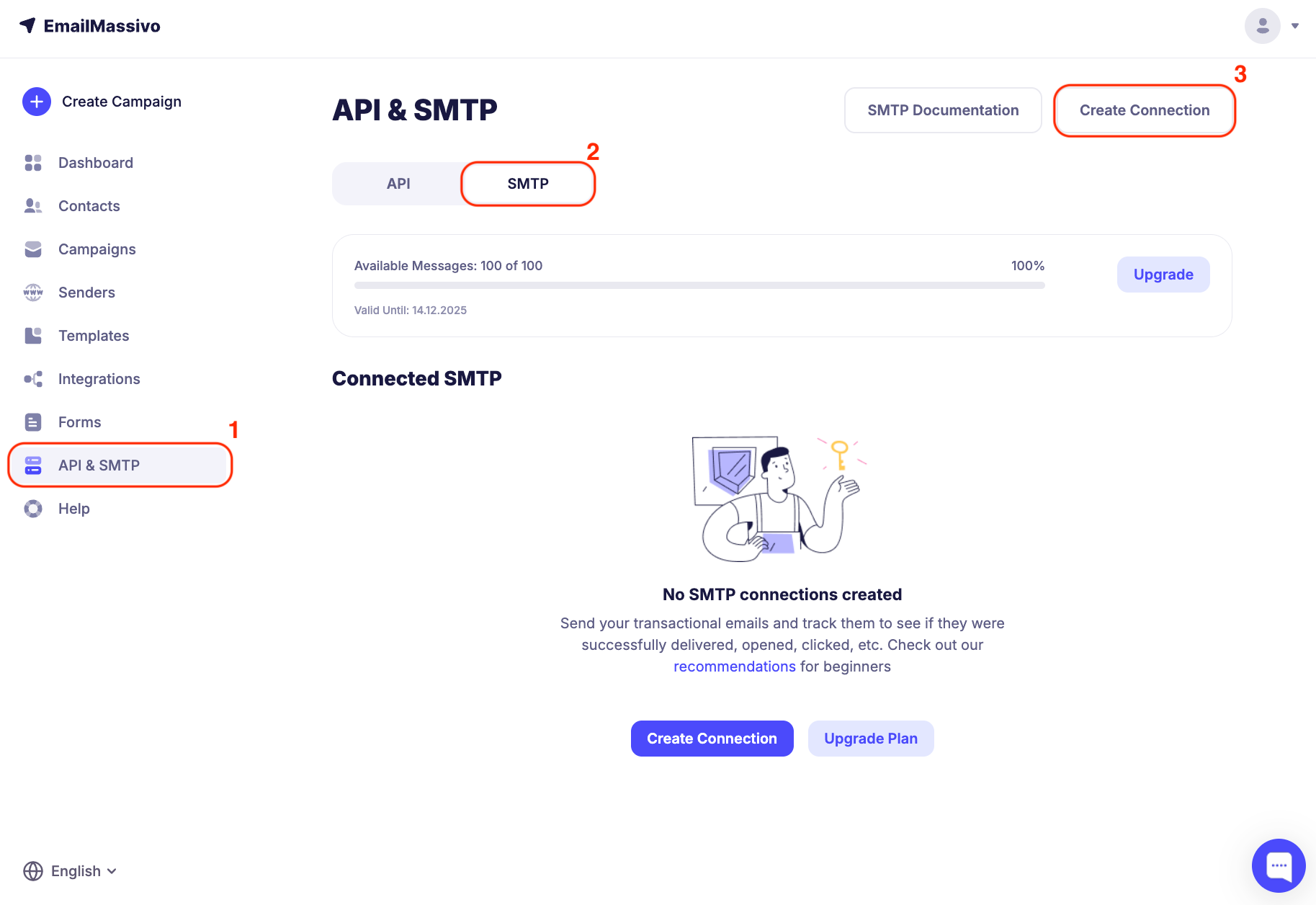
To create a connection, go to the "API and SMTP" → "SMTP" → "Create Connection" section.
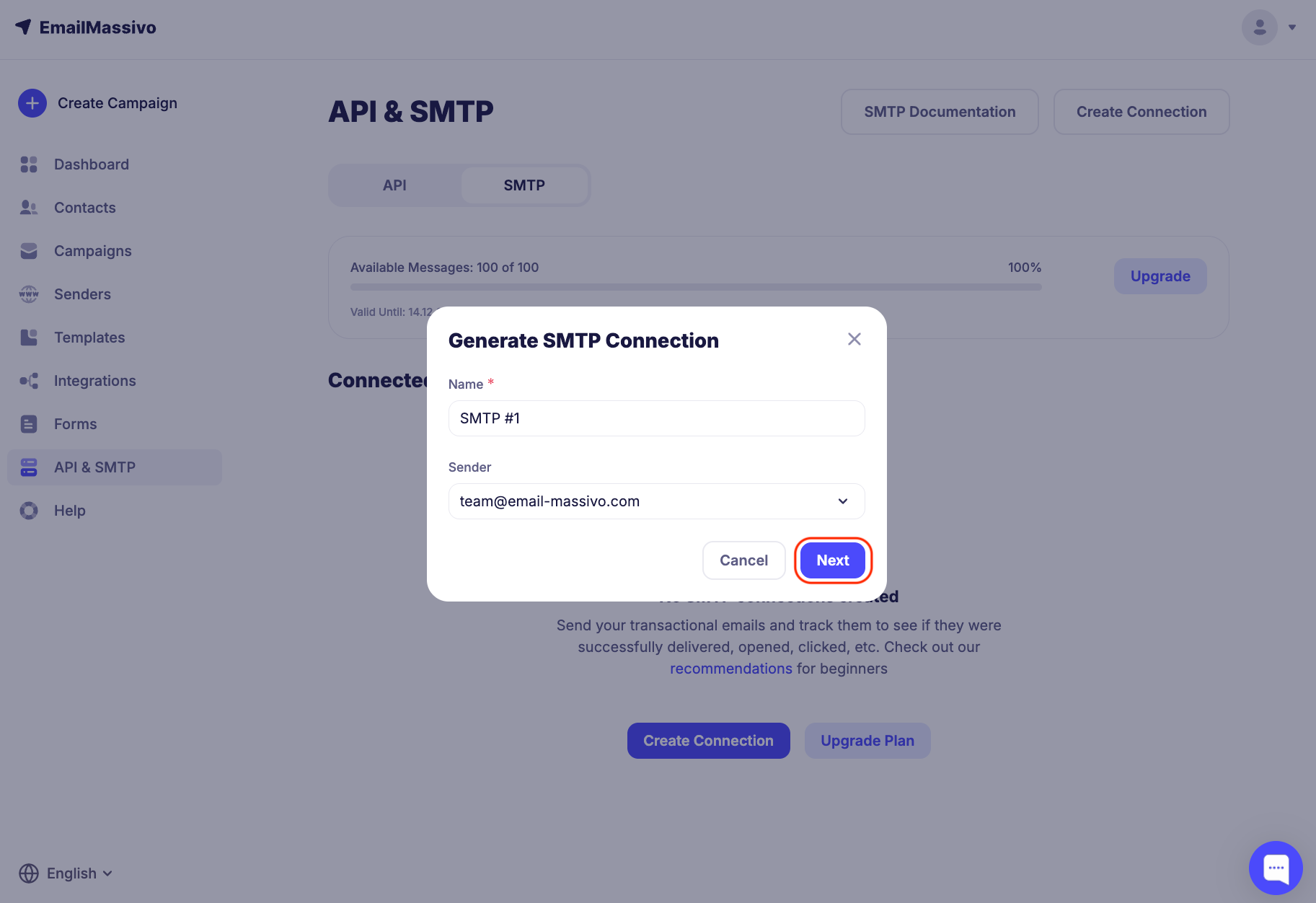
Enter a name and select a sender, then click "Next".
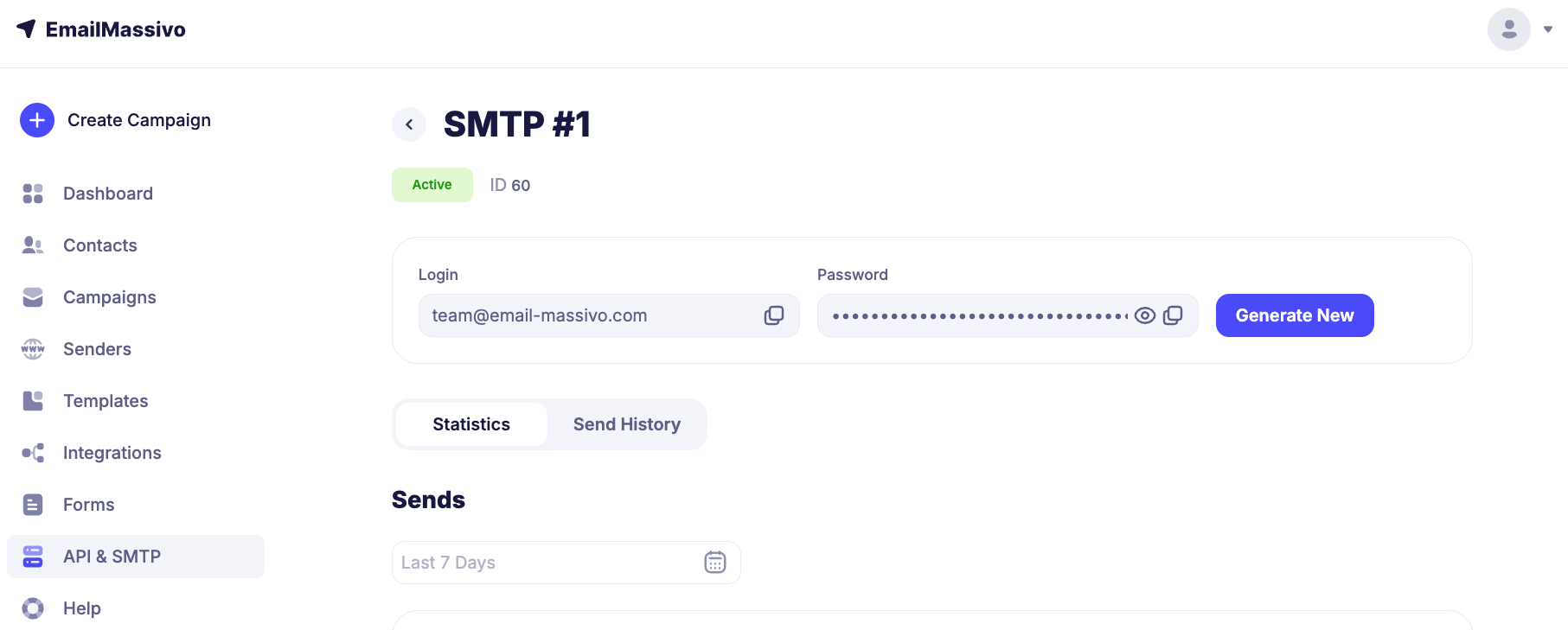
For SMTP connection, you will need a login and password. To get your login and password, go to the card by clicking on the name of the desired connected SMTP and copy the data. If necessary, you can generate a new password.
Additional data for configuring email transmission:
- SMTP Server: smtp.emailmassivo.com
- SMTP Port: 465
- Encryption Type: secure TLS/SSL connection
Ports 587 and 25 are also available, supporting both encrypted and unencrypted connections.
¶ Balance Deduction and Pricing
You can view API+SMTP pricing and purchase a plan in your account on the "Pricing" page. Two plan options are available for selection.
Plan cost depends on the number of emails.
When sending emails via SMTP, a separate email is created for each recipient, and one send is deducted from your balance for each recipient, including copies.
¶ Send Statistics
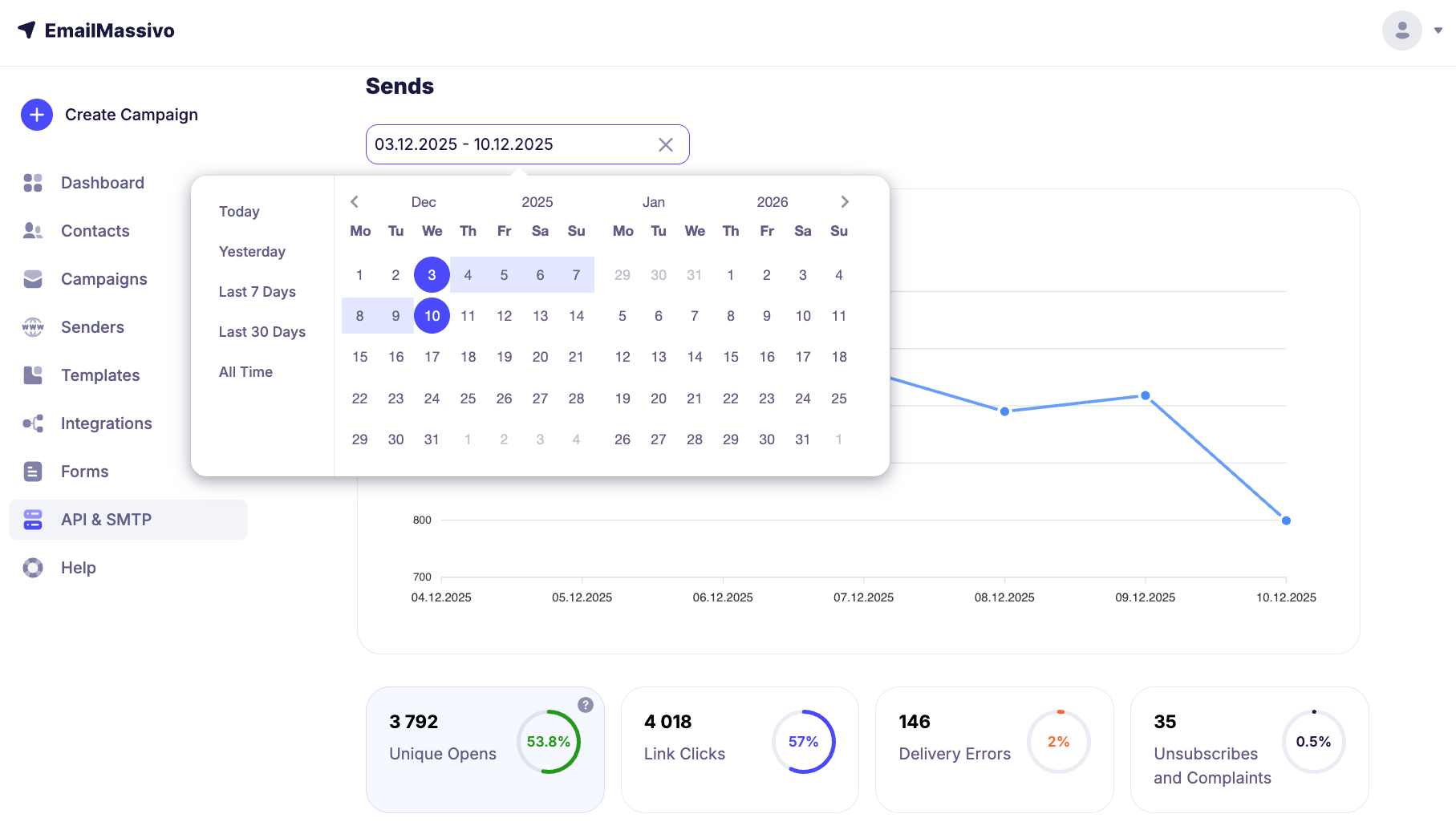
To view statistics for connected SMTP, go to the "API and SMTP" → "SMTP" section and select the desired SMTP connection.
On the statistics page, you can filter transactional emails by time period.
In the "Send History" section, you can also filter transactional emails by time period and status.
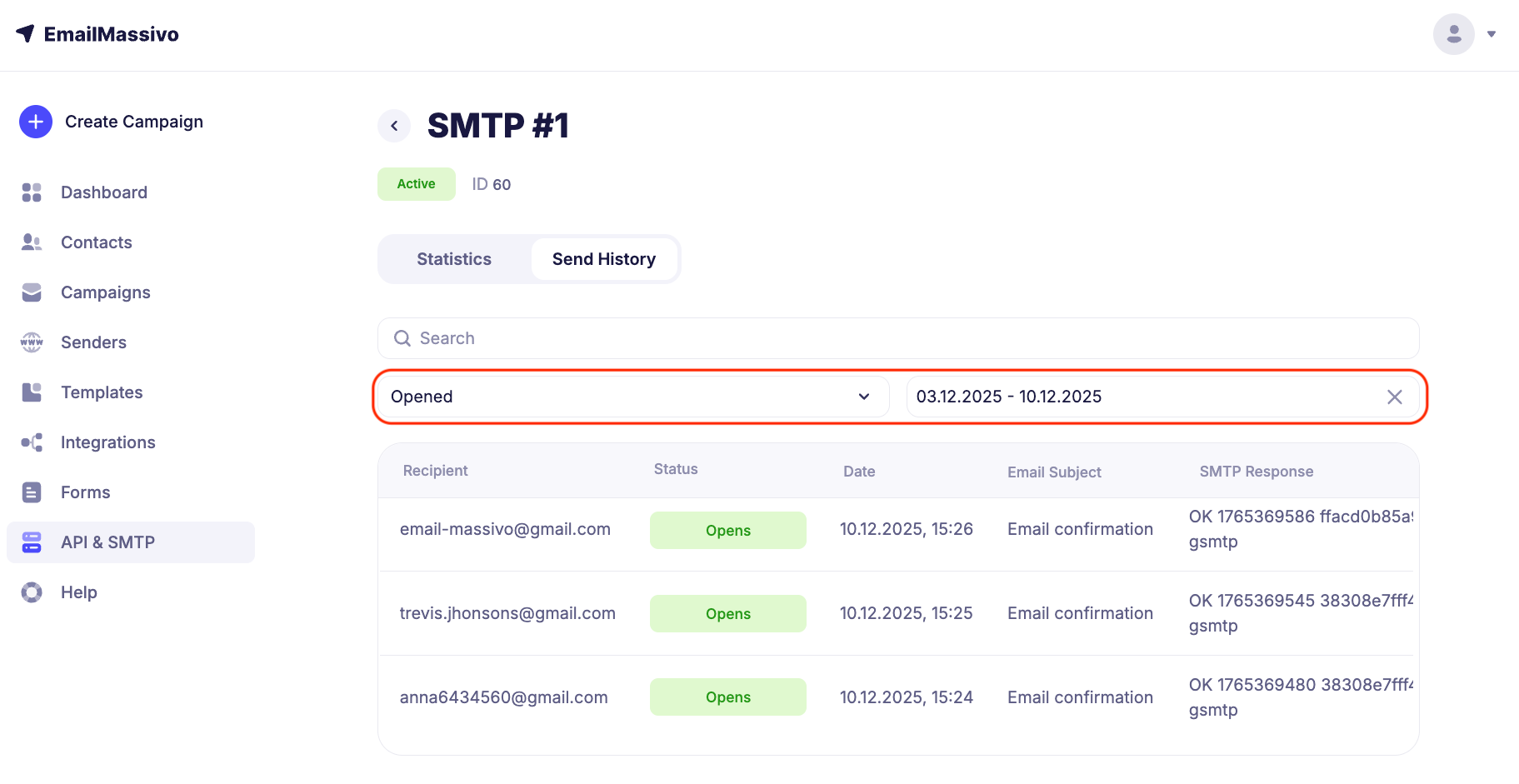
On the page with connected SMTP, as well as in each individual connection section, you can view the current connection status, which can be: Active, Blocked, or Not Activated.
¶ Possible SMTP Errors
Various errors related to authorization, server limits, or data format may occur when working with SMTP servers. Requests that ended with an error return a response in the format
<code> <reason>
Example:
421 Server is temporarily unavailable
Below is a list of common errors with explanations and recommendations for resolving them.
¶ 421 4.4.5 Server is temporarily unavailable
Reason: SMTP server is temporarily unavailable (overload, maintenance).
Solution:
- Retry the request after some time.
- Check server availability (e.g., via telnet or ping).
¶ 450 Balance not enough
Reason: Insufficient funds on balance to send emails.
Solution:
- Top up your account balance.
- Check campaign limits.
¶ 454 4.7.0 Too many login attempts
Reason: Too many failed login attempts.
Solution:
- Check the correctness of login and password.
- Wait some time before re-authorization.
¶ 451 4.3.2 Rate limit exceeded, retry after 10 seconds
Reason: Request limit exceeded (anti-spam protection).
Solution:
- Reduce email sending frequency.
- Wait for the time specified in the error
¶ 535 5.7.8 Incorrect login or password
Reason: Invalid SMTP credentials.
Solution:
- Check login and password.
- Make sure the account is not blocked.
¶ 421 Domain not verify
Reason: Domain has not passed verification in the system
Solution: Configure all DNS records (SPF, DKIM, DMARC) and contact support for domain verification.
¶ 553 Domain not found
Reason: Sender domain is not registered
Solution: Create SMTP access in the system.
¶ 550 Email receiver unsubscribe or complaint
Reason: Email was not delivered because the recipient unsubscribed from the campaign or complained about spam.
Solution: Exclude email from the campaign.
¶ 550 5.6.0 Message rejected: Missing required "From" header
Reason: The email is missing the required From header.
Solution:
- Check email header formation.
- Specify the correct sender email.
¶ 553 Recipient has exceeded mailbox limit
Reason: Recipient's mailbox is full.
Solution:
- Try sending the email later.
- Notify the recipient about the need to clean up their mailbox.
¶ What to Do If Connection Is Blocked
A connection may be blocked due to exceeding the send limit to non-existent mailboxes or mailboxes whose servers/services reject email receipt.
If this happens, you need to contact support or write to the support chat on the website in the dashboard. Our specialists will check the reason for the connection block and help you fix the situation.